DeftImage
Photo to Coloring Page
Turn a photo of your pet, a loved one, or a favorite flower into black-and-white outlines you can print and color.
Free preview and pricing
Eligible visitors can try one watermarked Studio 1K preview across the image tools. Complete the human verification to preview without signing in. To download the original without a watermark, sign in and unlock it for 3 credits.
Sign in to generate a new image without a watermark. Prices start at 2 credits per image and depend on the model and resolution. Credit packs start at $4.90 for 120 credits. Pricing
From Photo to Coloring Page
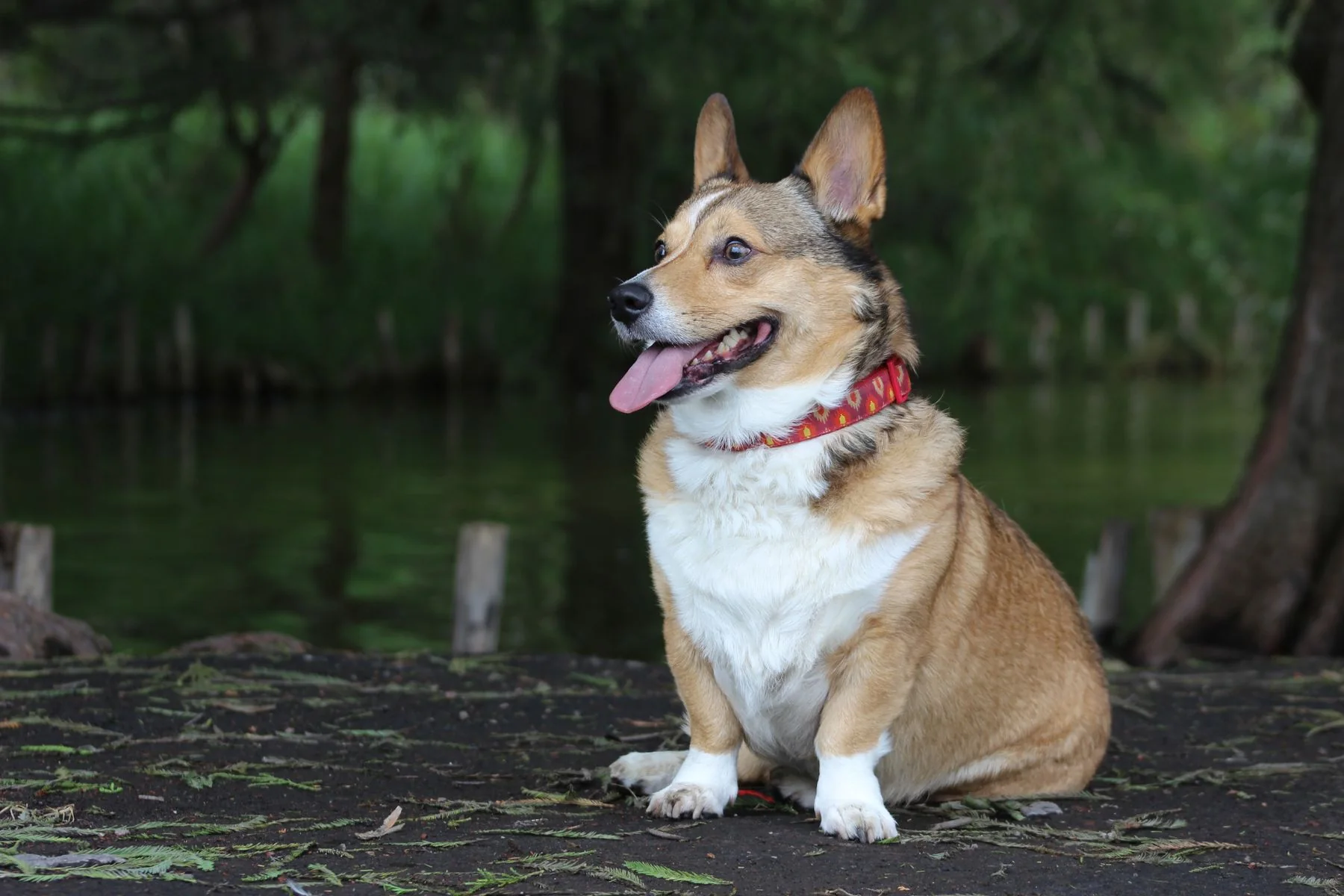
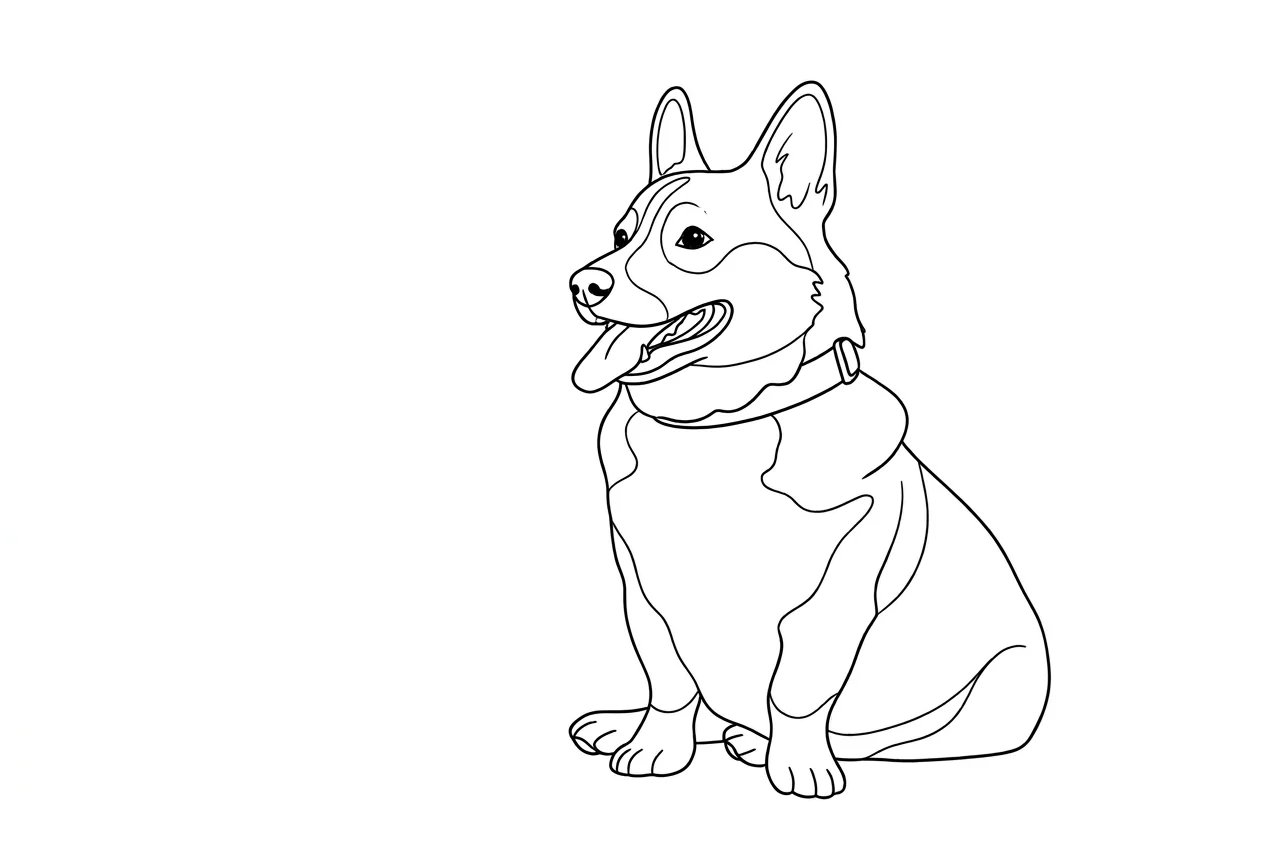
A corgi in simple outlines
The ears, cheeks and chest each have room for a broad crayon stroke. A plain band marks the collar, and the white background leaves the dog on its own.
Prompt
Make one printable black-and-white coloring page from this photo. Keep the seated corgi, its two upright ears, open-mouth smile, collar and short legs, viewed from the same angle. Center the complete dog on plain white paper with a small clear margin on all sides. Use smooth bold closed outlines and just a few broad regions for the facial blaze, cheeks, chest, paws and collar. Keep the eyes and nose recognizable with small ink accents. Leave all large regions white and empty for crayons. Omit fur strokes, reflections, shading, hatching, scenery, text and borders.
The same corgi with more detail
Here the collar has a row of small diamonds. Short contours divide the chest fur into tufts while the back and legs still offer larger spaces to color.
Prompt
Make a printable black-outline coloring page of this same seated corgi. Keep its head turned, open smile, upright ears, front paws, collar and body proportions from the photo. Center the complete dog on pure white paper with a small clear margin. A clear outer contour and finer closed inner lines should define the face markings, muzzle, ear interiors, chest ruff, paws and patterned collar. Group fur into a few smooth, broad, colorable tufts; leave each section white. Give the pattern meaningful medium-sized spaces to fill. No gradients, shading, hatching, individual hairs, solid dark patches, scenery, text or border.
Rose petals for colored pencils
Fine lines separate the tightly curled petals. The larger leaves give your pencil more room. Check the leaf on the far left in the print preview before printing.
Prompt
Turn the pictured rose bouquet in its clear vase into a printable botanical coloring page. Keep the main rose heads, leaves, stems, container and their arrangement. Use a clear black outer contour and finer smooth inner lines around overlapping petals and leaves. Combine tiny petals where needed so the rose shapes remain recognizable and comfortable to color. Leave interiors white, with a simple outline for the glass vase and open white paper around the bouquet. Keep the whole vase and flower heads in frame with a margin. Omit reflections, cast shadows, gray tones, hatching, background details, lettering and borders.
A portrait with room to color
A few strokes carry the smile and eyebrows. The hair falls in long bands on either side of the face, leaving room to try a different color in each one.
Prompt
Create a simple printable coloring page of the adult in this reference photo. Keep the same gentle smile, facial proportions, head angle, long side-parted hair, shoulders and crew-neck top. Draw smooth bold black contours on white paper. Simplify the hairstyle into several broad closed shapes that are easy to color; leave hair, skin, lips and clothing white inside their outlines. Define the eyes, nose and smile with a few clean strokes and small dark pupils. Keep the head fully inside the frame and retain the head-and-shoulders composition. Use a plain white background with no skin texture, hatched shading, gray fill, decorative lettering or border.
Templates fill the prompt and keep your uploaded images. Example photos are not loaded and nothing is generated until you submit.
How to Make a Coloring Page from a Picture
To go from picture to coloring page, upload one photo with a clear subject. For a pet portrait, crop away distractions so the ears, eyes and collar stand out.
Choose an outline style and name the features to keep. Under Output settings, Aspect ratio sets the composition. Try 3:4 for a tall portrait. Check the preview terms or credit total, then generate.
Compare the outline with your photo and check the spaces you want to color. Paid results are ready to download or print. Unlock a watermarked preview first.
How to Download or Print Your Coloring Page
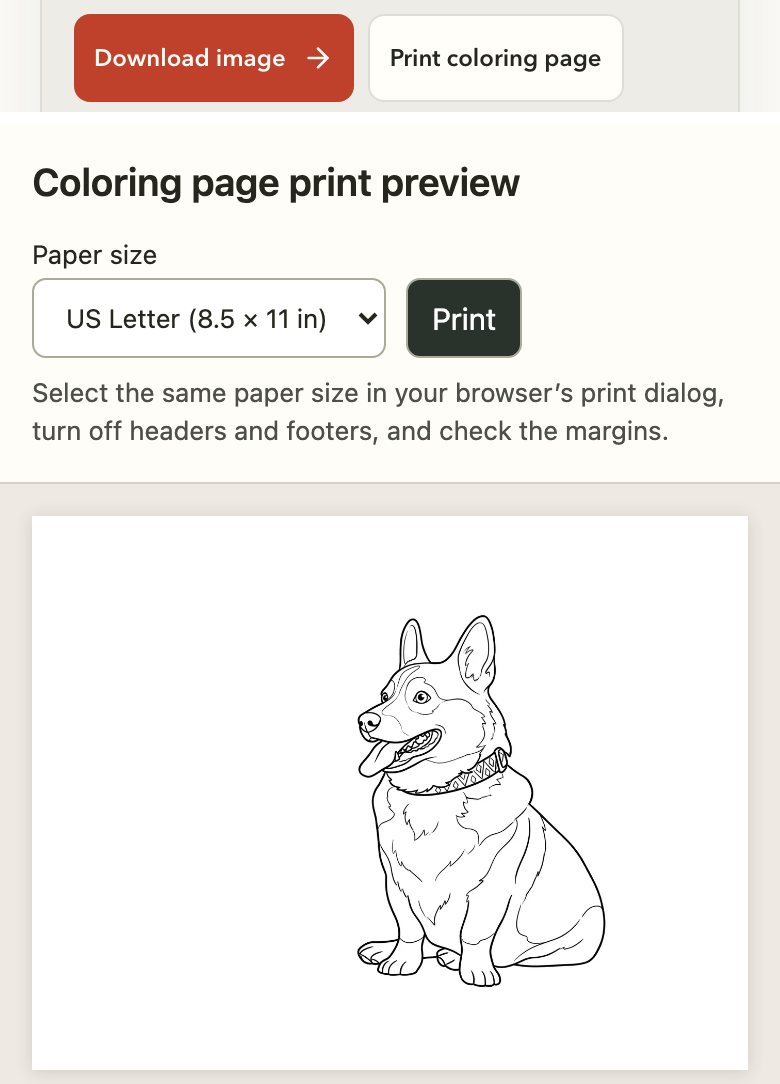
Choose “Download image” below your unlocked result to save the finished drawing to your device. For a paper copy, choose “Print coloring page” to open a separate print preview. Downloading or printing an unlocked result uses no additional credits.
Under Paper size, choose the paper loaded in your printer. The English page starts with US Letter. You can switch to A4. The preview chooses landscape or portrait from the finished image and fits the entire drawing inside the page margins.
Select Print to open your browser’s print dialog. Match the paper size, choose “Fit to page” if available, and turn off headers and footers. Check the ears or outer petals in the preview, then select your printer. You can also choose “Save as PDF” if your browser offers it.
Photo to Coloring Page Questions
What kind of photo makes a clear coloring page?
Start with one sharply focused subject in even light. For a portrait, look for visible eyes and a clear expression. For flowers, some contrast between the petals and the background helps define the outer edges.
How can I make a coloring page easier for kids to color?
Choose Simple outlines and ask for thicker lines and larger white spaces. For a tabby cat, for example, keep the forehead markings and white paws, and group the fur into a few broad shapes.
How do I simplify a busy background?
Crop away distractions before uploading, or name what to keep and what to leave white. Try “Keep the dog and its collar and leave out the trees behind it.” Check that the new outline still captures the subject.
Can I turn photos into a coloring book?
Yes. Make one coloring page from each photo, using the same outline style and paper size throughout. Download the pages and arrange them in a document to export as one PDF, or print the sheets and staple them in order.
Can I preview my coloring page, and what does a download cost?
When previews are available, you can pass the human check for one watermarked preview shared across image and text generation. Sign in to unlock the saved image for the credits shown and download it without the watermark. New generations are priced by model, resolution and number of images. Check the total before submitting.