AI Image Model Comparison: Studio, Pro & GPT
Last updated:
Which editing option should you choose in DeftImage? In this small 1K comparison, GPT Edit was a useful starting point for preserving composition and making follow-up changes. Studio still offered useful creative compositions and background edits, and Pro Edit had usable portrait and product scenes. The examples below show where each followed or missed the instructions, including the failures.
Choose by the task and inspect the result
These are starting points from this sample, not quality tiers. A higher credit price does not guarantee better instruction following. Model names below follow the identifiers supplied by our provider; they do not imply a direct connection to the model developer.
| Option | A useful starting point | Check before use |
|---|---|---|
| GPT Edit · GPT Image 2 | Preserving framing or making a small follow-up edit at 1K | Fine details can still change; this sample does not cover every task. |
| Studio · Nano Banana 2.1 | General creative edits, background ideas and expressive composition | Camera angle, subject scale and product details may change. |
| Pro Edit · Nano Banana Pro | An alternative for complex visual instructions; usable portrait and perfume scenes here | Object counts, camera viewpoint and atmosphere missed constraints in some cases. |
Official positioning: what is Pro designed for?
Google positions Nano Banana 2.1 as a high-efficiency general model across 1K, 2K and 4K. Nano Banana Pro uses Thinking for complex instructions, brand consistency and high-fidelity text. DeepMind highlights posters, diagrams, multilingual designs and fine visual control. These are official model claims, not advantages established by our six-task comparison or a promise that every developer feature is connected here.
What we actually compared
The main comparison contains six tasks × three models = 18 outputs, one output per model and task. It includes a portrait, an earbud campaign, a three-reference composite, a perfume scene, a follow-up lighting edit and a real orange photograph. The perfume tasks share a workflow, so they are not six fully independent categories.
Historical Studio and GPT Edit outputs were made on November 9 or 12, 2026. Pro Edit and the additional orange GPT Edit output were made on November 13. Each task used the same prompt text, ordered input image bytes and requested aspect ratio across models. All requested 1K and one output; actual delivered pixel dimensions differ. There were no replacement draws for the displayed results.
These were supplier image-editing requests using the corresponding model configurations. They were not an end-to-end run through this website’s public workspace and do not validate sign-in, credits, payment or safety review. Model identity is reported from supplier identifiers, not an independent verification of internal weights.
The orange is a real photograph by Daniele Levis Pelusi on Unsplash. Other initial inputs are AI-generated fictional people or product concepts; the follow-up perfume input is a generated intermediate result. Images below are resized WebP copies with no cropping or retouching; archived originals were used to review details.
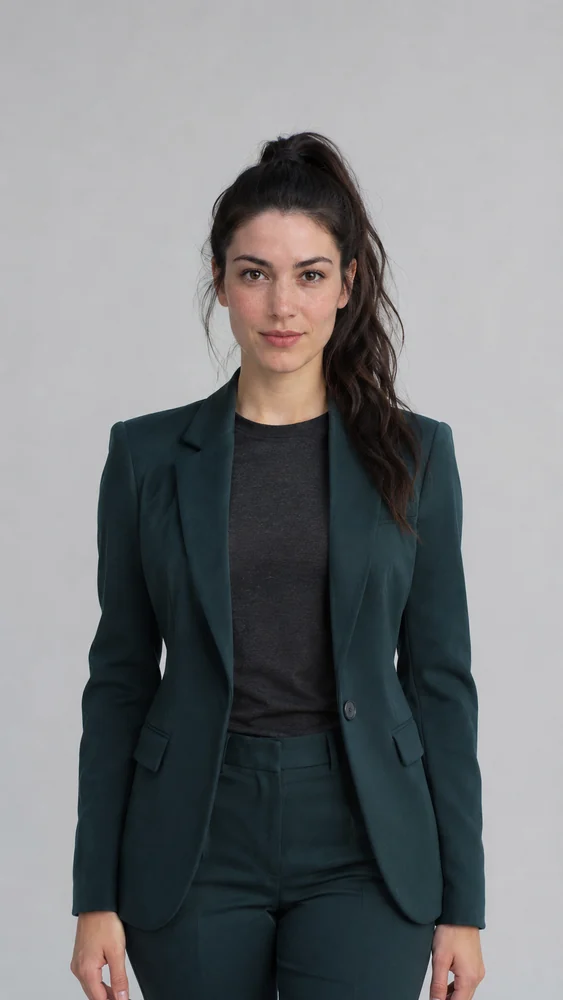
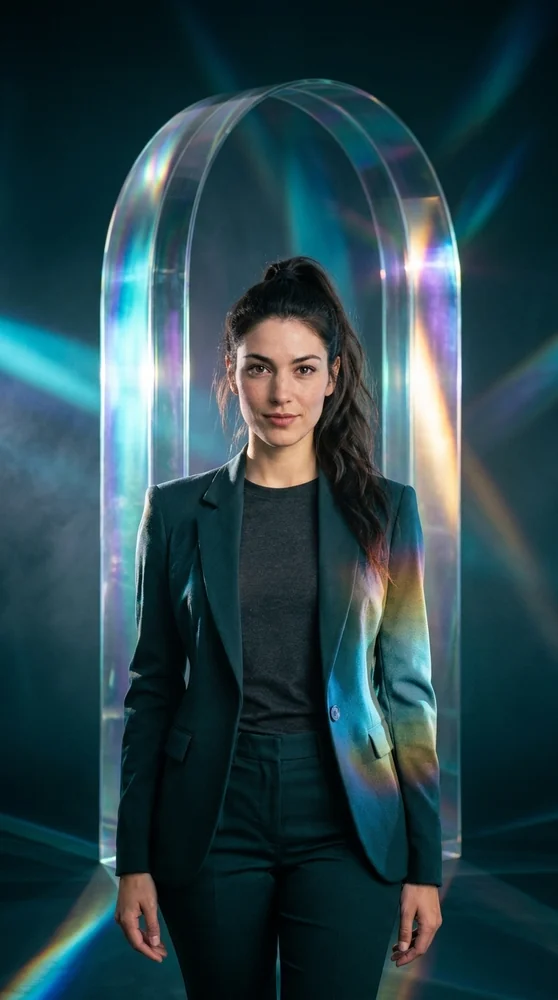
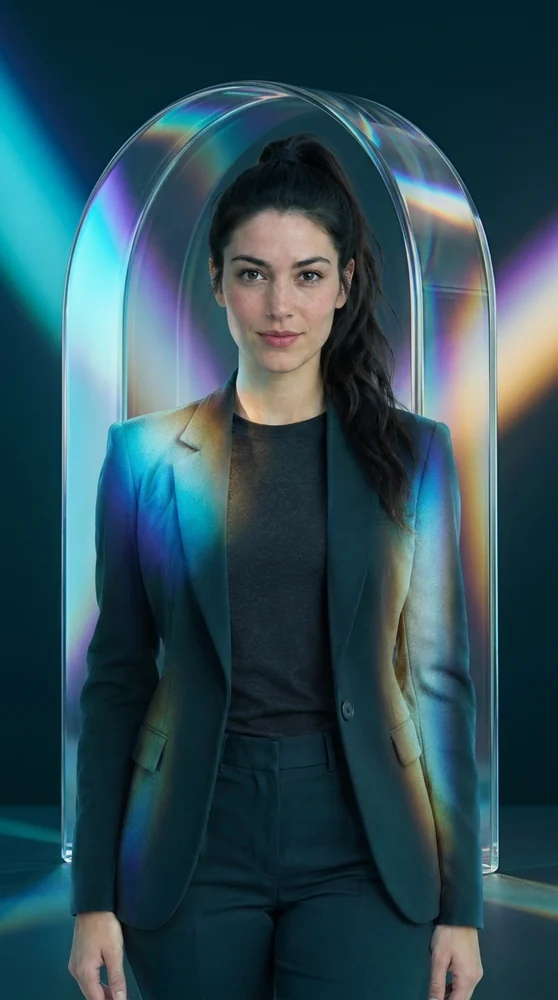
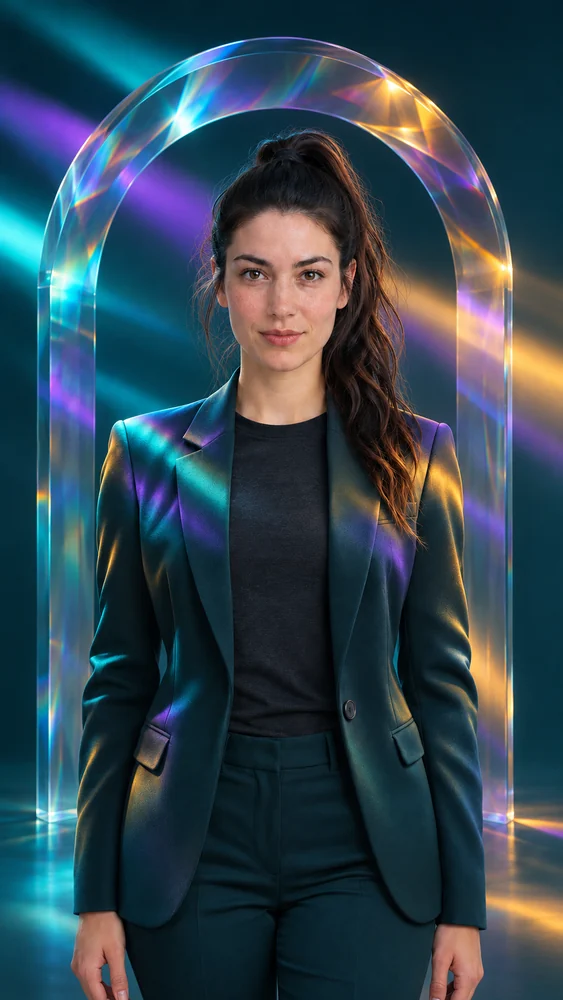
Portrait: preserve framing while adding prism light
GPT Edit kept the subject’s framing and outfit more closely, with stronger visible color and glass effects. Pro Edit kept a similar subject scale and produced a usable, restrained result. Studio pulled the camera back and made the person smaller. Pro is a reasonable alternative here; this case does not establish a clear failure.
Requested: 1K · 1 output · 9:16 aspect ratio. The actual submitted English prompt is shown below.
Transform this portrait into a striking high-fashion light installation photograph. Keep the same adult woman's face, long dark ponytail, dark teal suit, charcoal shirt, relaxed pose and head-to-thigh framing. Replace the plain gray background with a deep midnight-teal studio containing one large translucent iridescent prism arch behind her. Project broad cyan, violet and warm golden spectral light bands across the background and the shoulders of her jacket; keep her face clearly visible with soft natural skin texture and bright eyes. Make the glass refraction and fabric highlights physically convincing, with depth and clean editorial contrast. Do not change her outfit, add jewelry, cover her face, or add letters, logos or watermarks. Vertical 9:16.
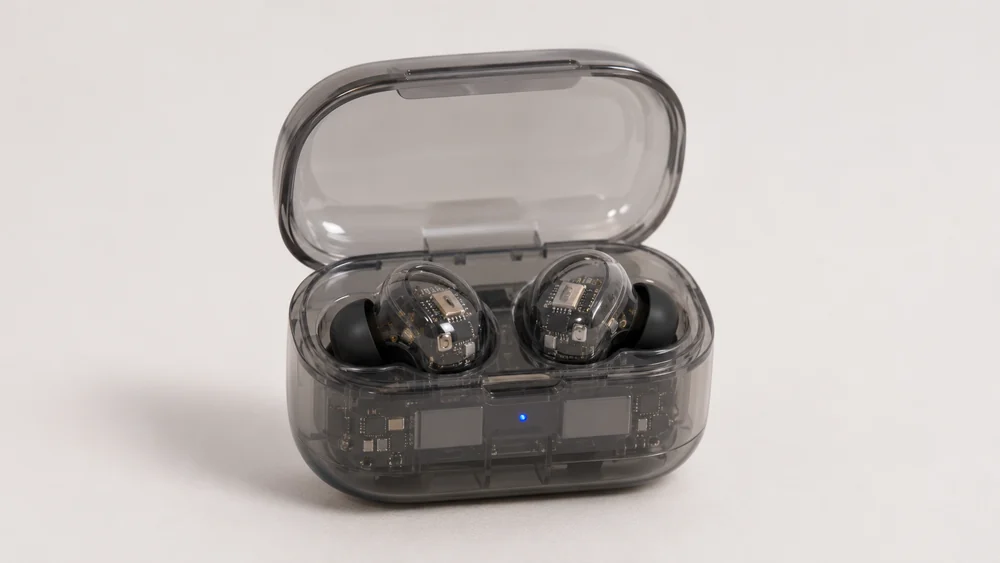
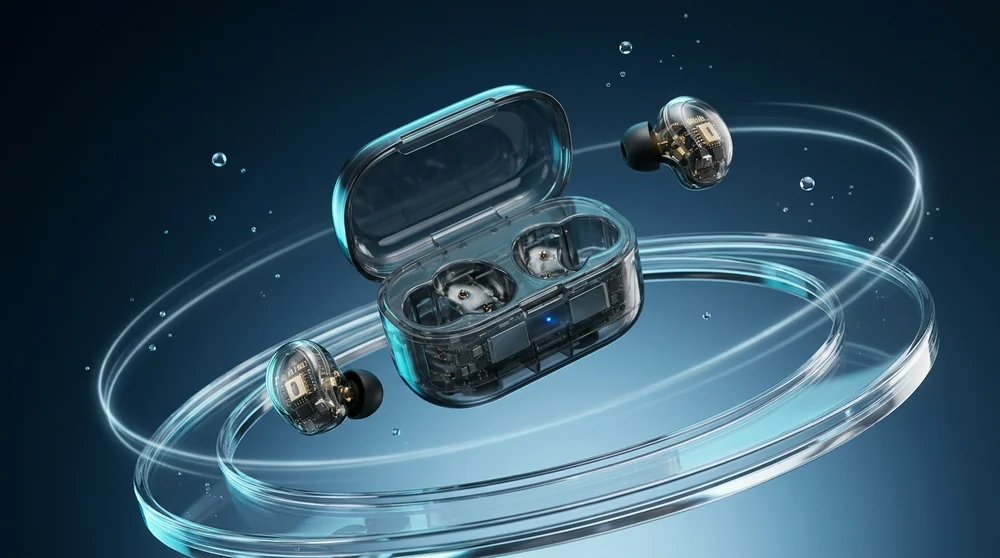
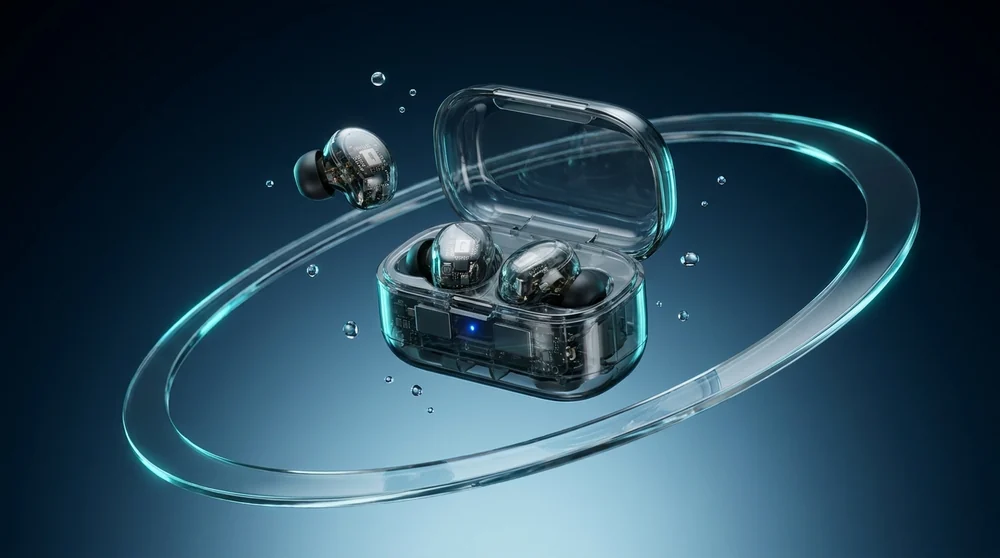
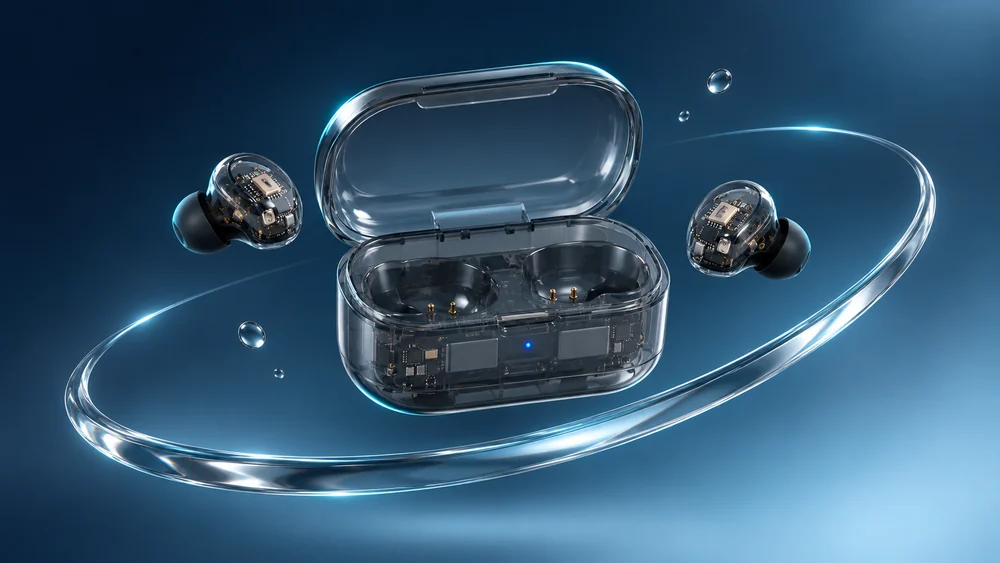
Earbuds: count the objects, not just the visual impact
The instruction asks for exactly two separate earbuds. GPT Edit shows an empty case and two earbuds, with the blue light retained. Studio offers a stronger orbital composition, although the product viewpoint changes. Pro Edit shows two earbuds in the case plus a floating third one: an attractive image that fails the count constraint.
Requested: 1K · 1 output · 16:9 aspect ratio. The actual submitted English prompt is shown below.
Create a premium zero-gravity technology campaign using this exact transparent smoke-glass earbud case and its two earbuds. Float the open case and exactly two separate earbuds above a sweeping clear-glass orbital track. Keep the case shape, hinge, transparent electronics and small blue status light recognizable; keep the two earbuds physically coherent and do not duplicate them. Use an elegant deep navy-to-ice-blue studio background, controlled cyan rim light, a few suspended water droplets, realistic clear glass and silver reflections. Product remains the sharp central hero, fully inside the frame, with ample negative space at the sides and a subtle luminous circular orbit suggesting motion. No text, brand, logo, hands or extra products. Landscape 16:9.
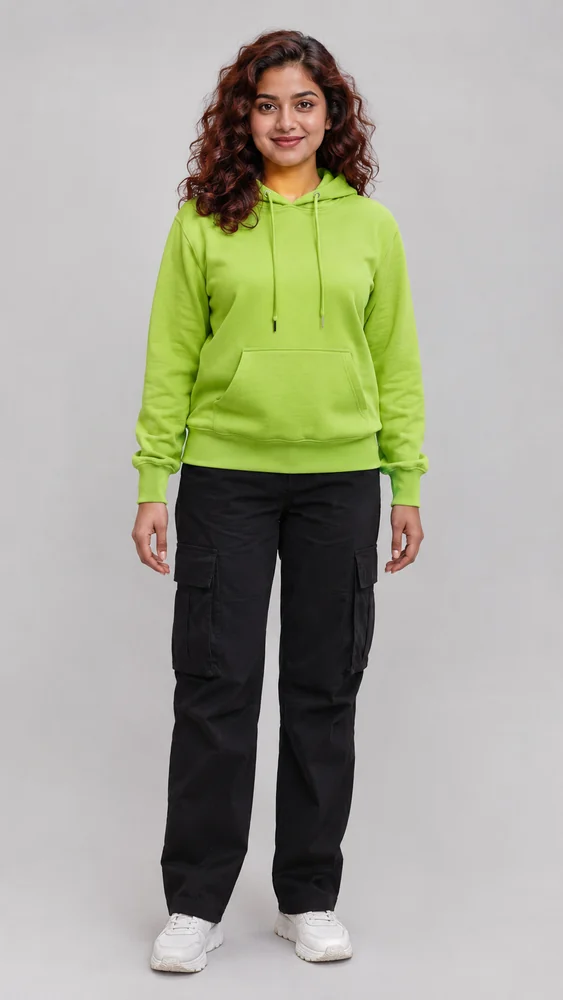
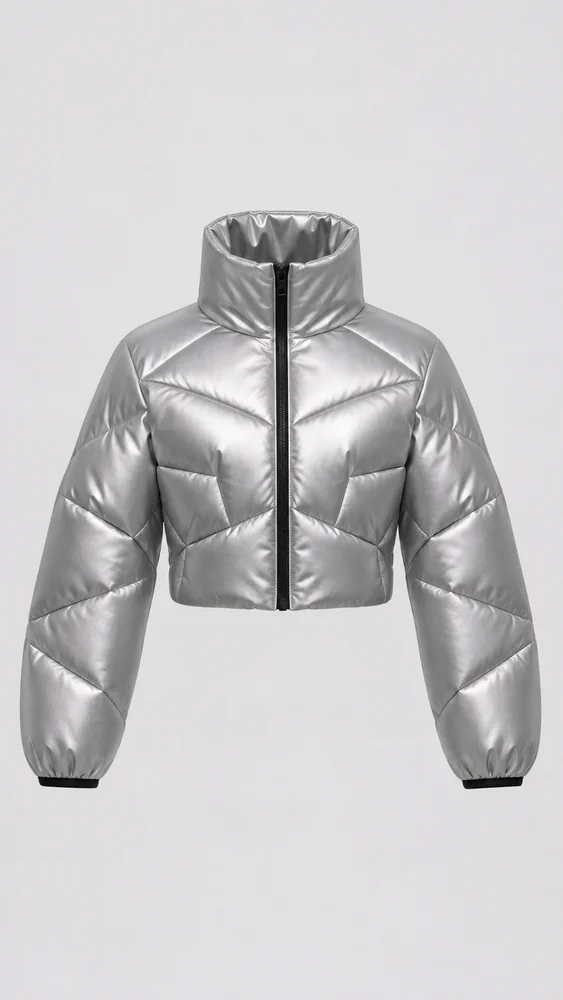
Three references: person, jacket, then station
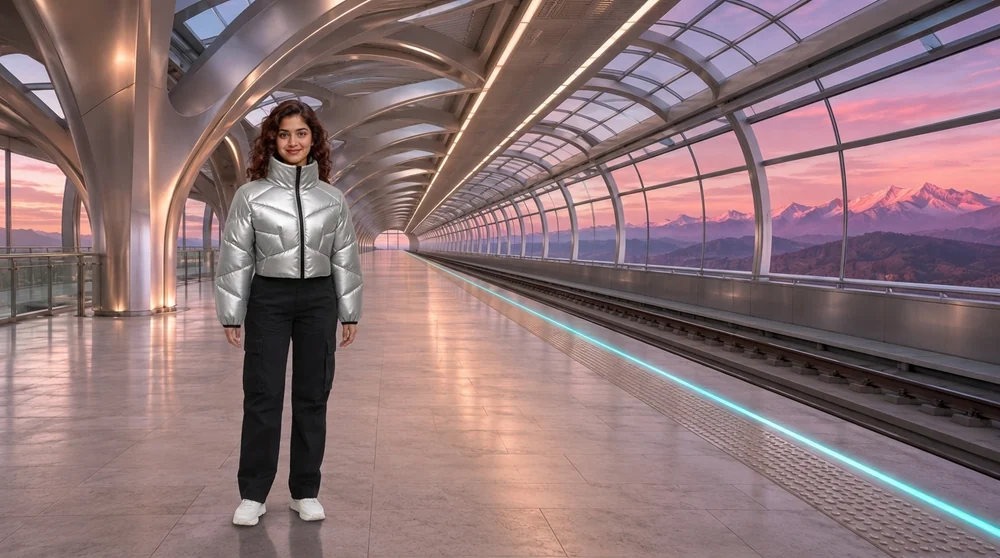
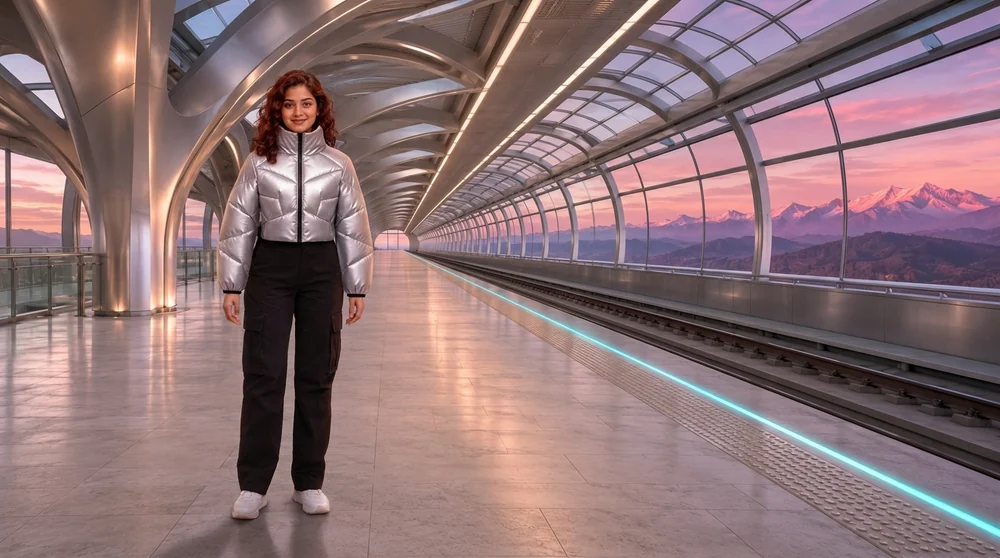
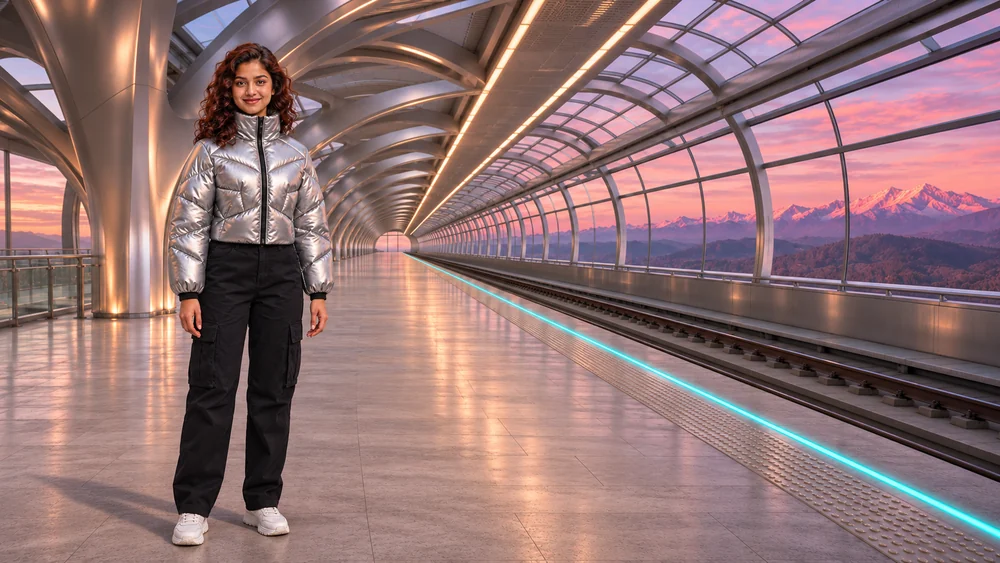
All three options incorporated the person, silver jacket and station. GPT Edit made the person more prominent and blended the jacket with the scene lighting; Pro Edit produced a natural composition without a distinct advantage. Studio made the person smaller and simplified clothing details. These are creative composites, not evidence of accurate garment fit, sizing or exact clothing reproduction.
Requested: 1K · 1 output · 16:9 aspect ratio. The actual submitted English prompt is shown below.
Combine the three ordered references into one believable fashion photograph. Image 1 defines the adult woman: preserve her face, warm medium-brown skin, auburn curly hair, black cargo trousers and white sneakers. Replace her green hoodie with the silver cropped puffer jacket from image 2, matching its high collar, quilting and black zipper. Image 3 defines the location: place her standing safely on the station's broad platform, not on the tracks, with the curved silver ribs, cyan platform strip and pink mountains behind her. Show her full body at the left third, about 75 percent of the frame height. Match the sunset illumination, perspective and contact shadows so the image feels photographed in one scene. Keep exactly one person and natural hands. No text, logos or watermark. Landscape 16:9.

Perfume, step one: build a new product scene
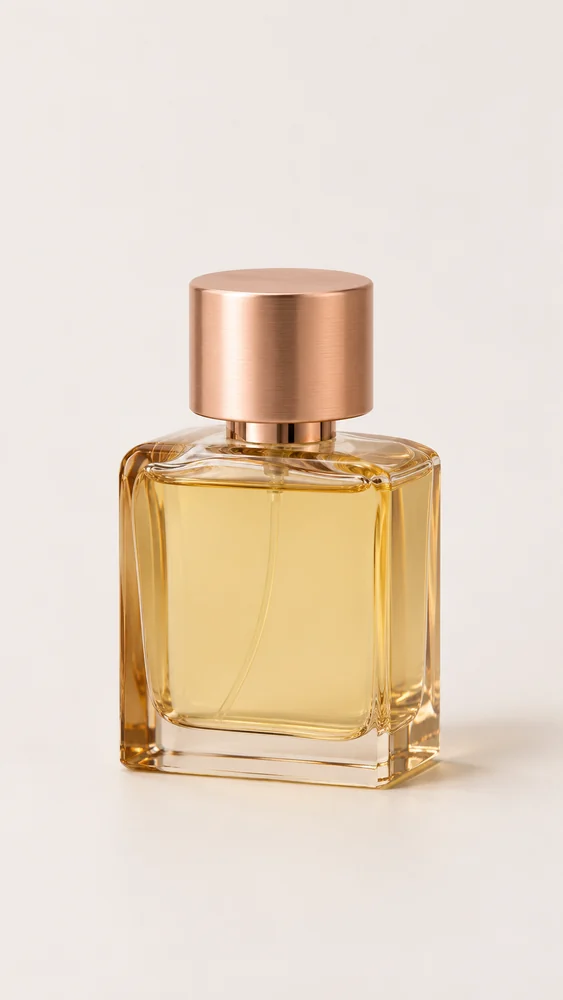
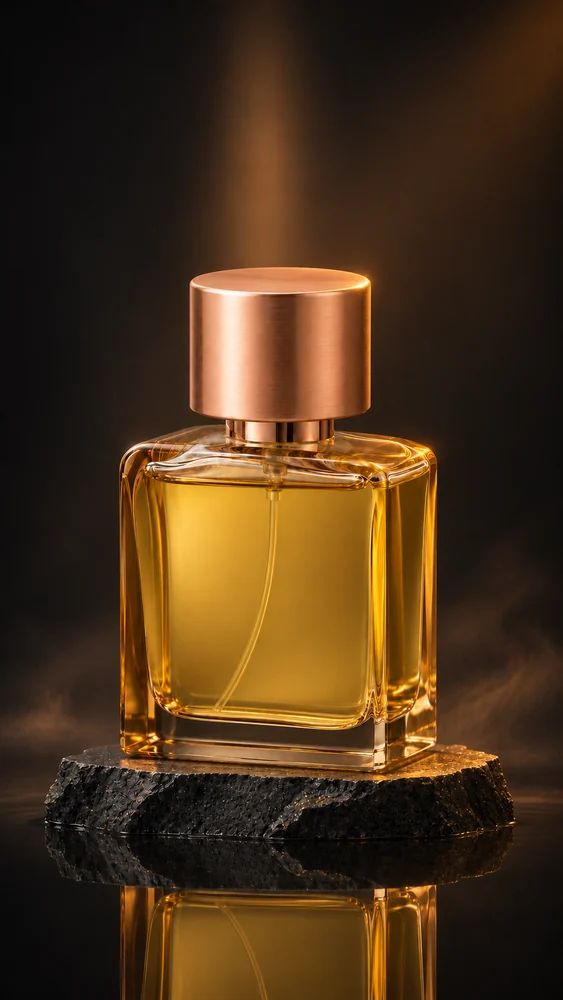
GPT Edit stayed closer to the input composition and kept the glass, liquid and metal easier to read. Pro Edit preserved the bottle shape, cap, tube and subject scale, but the result was darker. Studio completed the basalt-and-water scene with a smaller, darker bottle. Pro is usable here. All three changed environmental lighting, so none demonstrates exact color preservation.
Requested: 1K · 1 output · 9:16 aspect ratio. The actual submitted English prompt is shown below.
Create a luxury fragrance campaign photograph with this exact unbranded perfume bottle. Preserve its squat rectangular amber glass, rounded shoulders, golden liquid and large brushed rose-gold cylindrical cap. Place the complete bottle on a low rough-cut black basalt platform rising from still dark water, with a clean mirror reflection. Background is deep charcoal, softly graded. Use refined neutral softbox light from the upper left and delicate highlights that describe the glass and metal. Keep the original three-quarter product angle and a strong centered vertical composition, with generous breathing room above the cap. The bottle is the only product, completely visible and sharply rendered. No mist yet, no flames, flowers, text, labels, logos or watermark. Vertical 9:16.
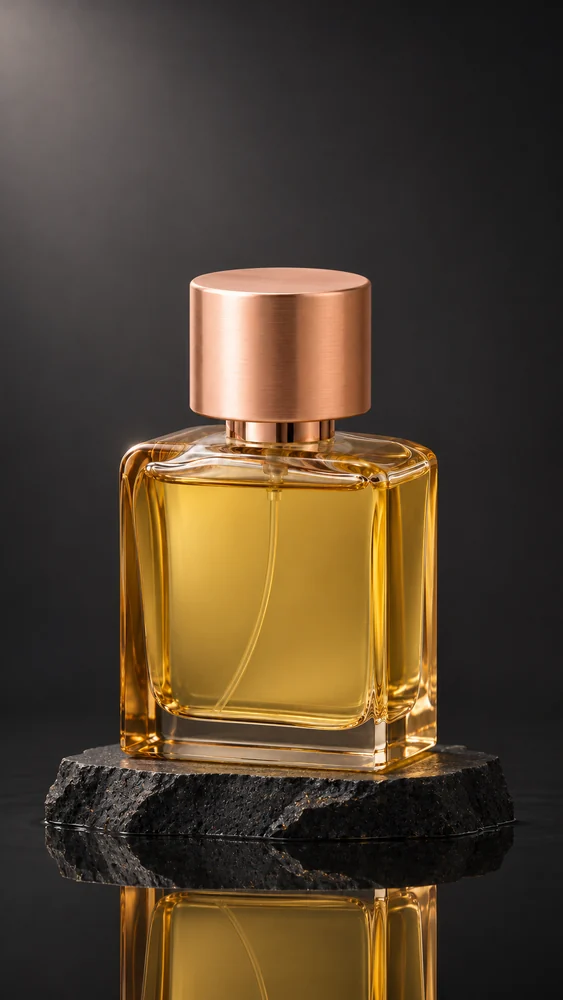
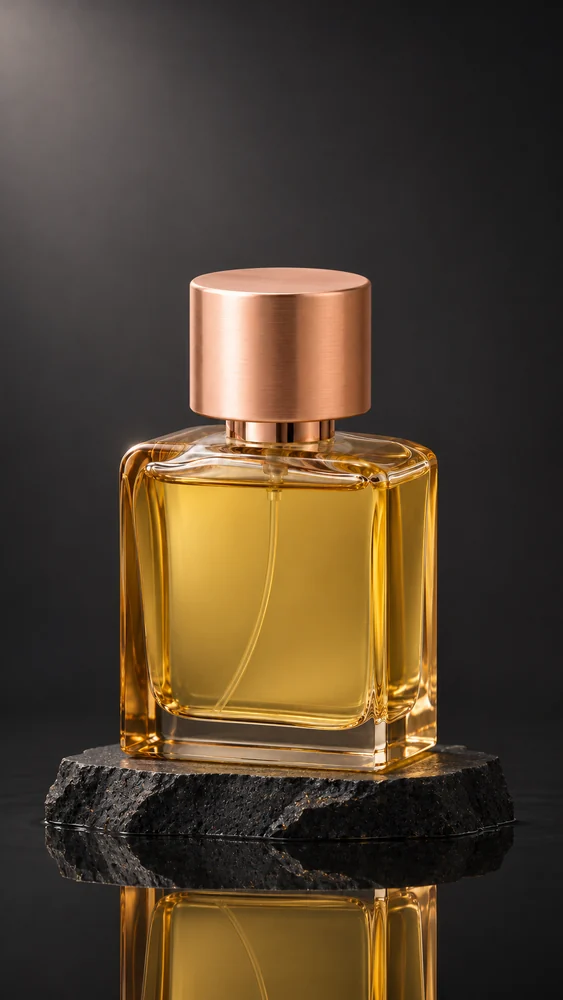
Perfume, step two: refine one shared intermediate image
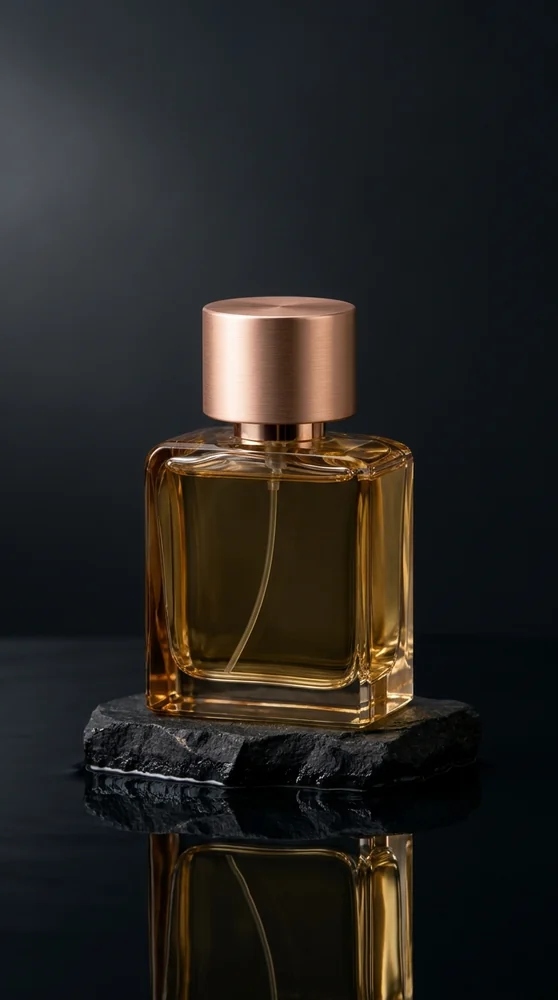
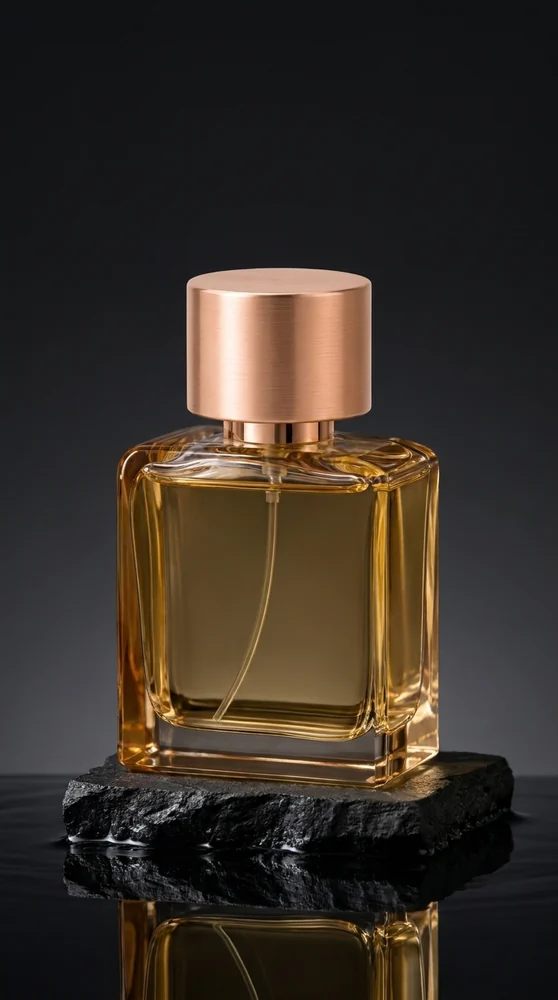
Every model received the same intermediate image: the GPT Edit output from step one, shown first below. This isolates a follow-up edit; it does not compare each model’s complete two-step workflow. GPT Edit kept the composition and stone more closely, with restrained rim light and low mist. Studio repainted parts of the bottle and platform. Pro Edit added thick mist in front of the bottle, reducing glass readability and departing from the requested delicate, low-density atmosphere.
Requested: 1K · 1 output · 9:16 aspect ratio. The actual submitted English prompt is shown below.
Refine this exact fragrance campaign photograph with lighting and atmosphere only. Preserve the same amber glass bottle, brushed rose-gold cylindrical cap, liquid level, internal tube, three-quarter angle, product size, black basalt platform and water reflection. Add a warm amber rim light from the upper right and a soft narrow shaft of warm light behind the bottle. Introduce a delicate low-density veil of mist behind and beside the stone, catching the light without hiding the product. Keep the front glass readable and the background deep charcoal, with restrained golden highlights and rich shadows. The result should feel like the same photograph with a more luxurious evening lighting setup. Do not add objects, change the bottle silhouette, move the camera, or add text, labels, logos or watermark. Vertical 9:16.
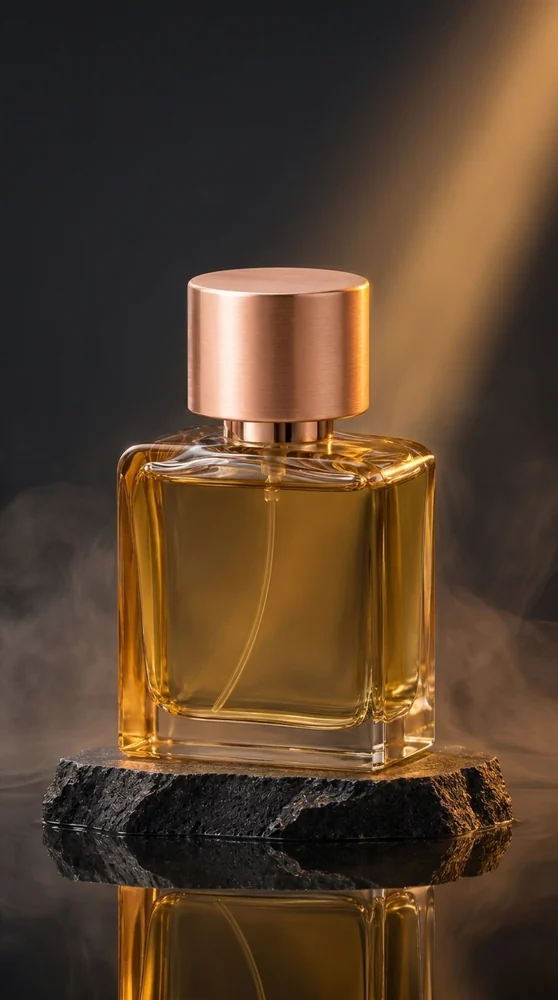
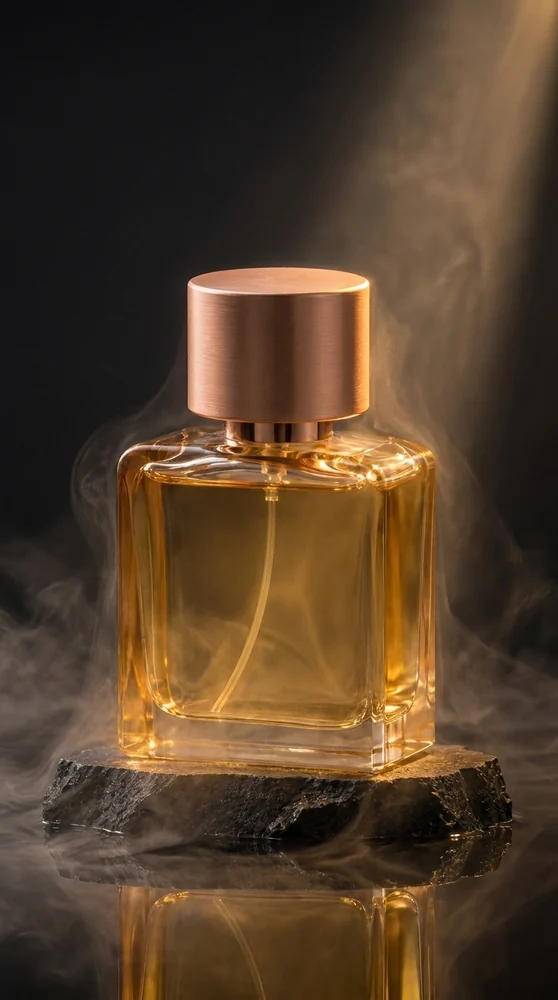
Real orange photograph: change only the background
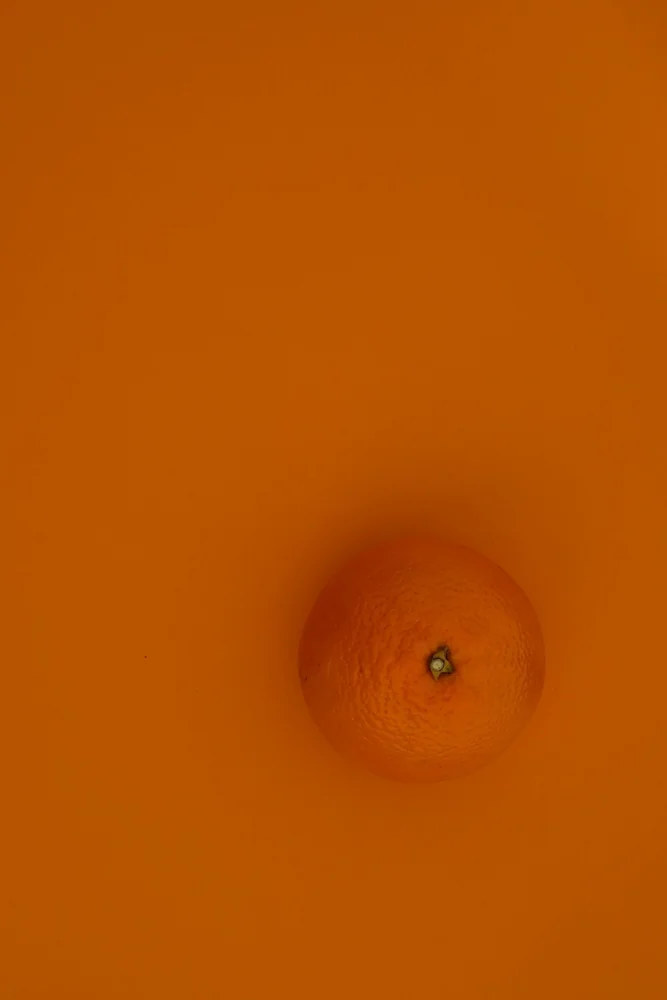
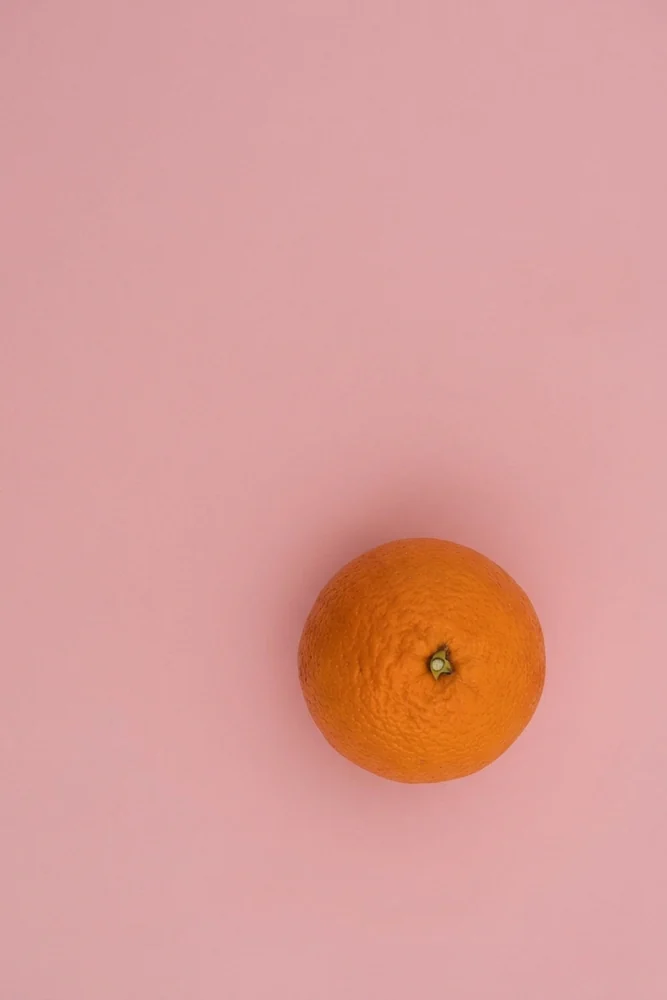
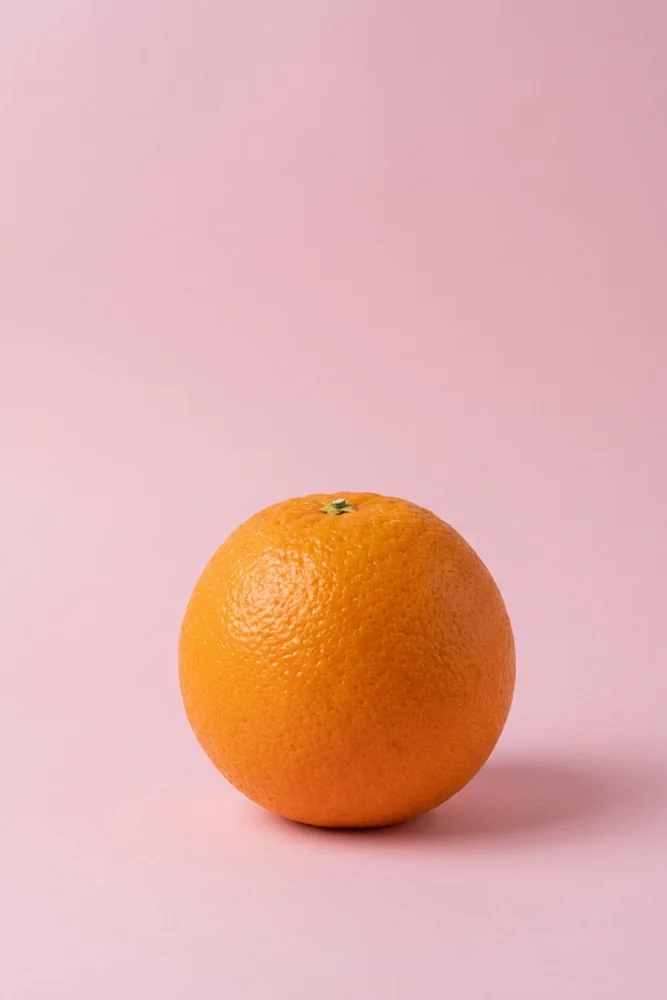
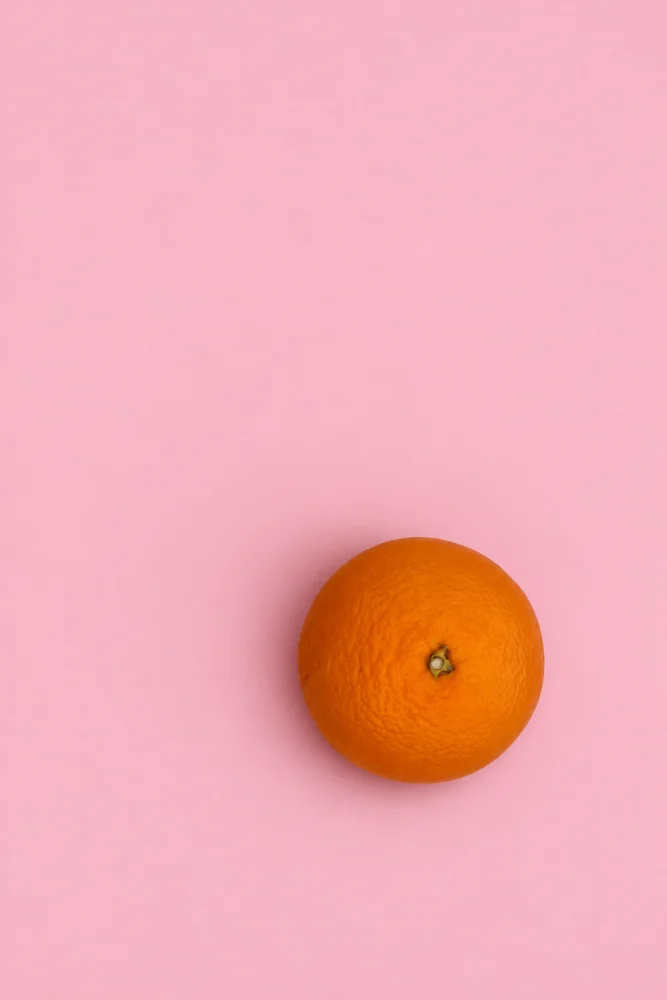
Studio and GPT Edit kept the overhead viewpoint, lower-right placement and stem direction, while changing the background to pink. Texture, brightness and shadows still changed. Pro Edit turned the orange upright, enlarged it and moved it toward the center. It is a polished image, but fails the background-only instruction. This unlabelled fruit photo does not test branded packaging or readable product text.
Requested: 1K · 1 output · auto aspect ratio. The actual submitted English prompt is shown below.
Replace only the background with a smooth pastel pink studio backdrop. Keep all the citrus fruit unchanged in shape, arrangement and peel texture. Natural soft shadows, photorealistic product photography. No text or new objects.
Current resolutions and credits
The table reads the current site configuration. Studio and Pro Edit offer 1K, 2K and 4K; GPT Edit currently offers 1K. Total credits = outputs × credits per result. The workspace confirms the current total before submission.
| Option | 1K credits / result | 2K credits / result | 4K credits / result |
|---|---|---|---|
| Studio · Nano Banana 2.1 | 3 | 3 | 3 |
| Pro Edit · Nano Banana Pro | 6 | 6 | 8 |
| GPT Edit · GPT Image 2 | 2 | — | — |
Limits: what this sample cannot tell you
This is a labelled, qualitative comparison across different dates, not a blind test, repeated trial or statistical win-rate study. Supplier versions and randomness were not controlled. It cannot establish that GPT Edit always wins, that Pro Edit has no value, or that one option is universally faster. Completion observations include polling and are not a fair speed benchmark.
We did not test 2K or 4K. More pixels do not necessarily fix a wrong object count, camera viewpoint or other instruction error. Nor did this set verify readable packaging text, exact branded product details, true garment sizing, identity guarantees or a production moderation pipeline.
Use these images to choose a starting point, then inspect faces, product shape, object count, lighting and lettering against your input. For a product listing, treat a generated scene as a candidate creative image, not proof that the original product stayed pixel-identical.
Edit your photos.
Upload your photo