AI Image Editing Examples & Prompts
Last updated:
These reference-and-result examples show how to describe an edit and inspect the result. They illustrate editing ideas rather than compare models or guarantee that a prompt will reproduce the same image. Each case shows the actual inputs used.
Case 1: a person plus a navy blazer reference
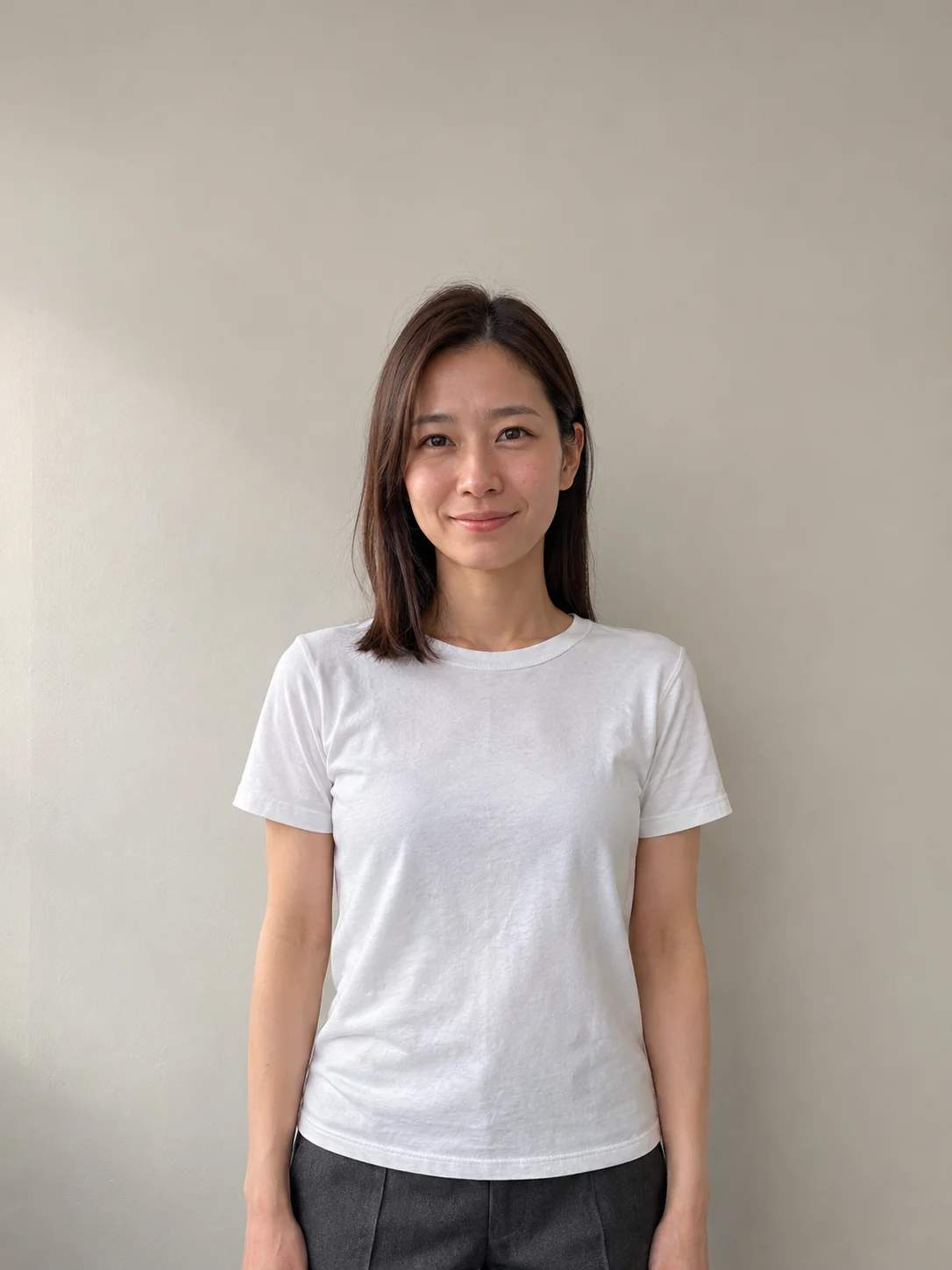
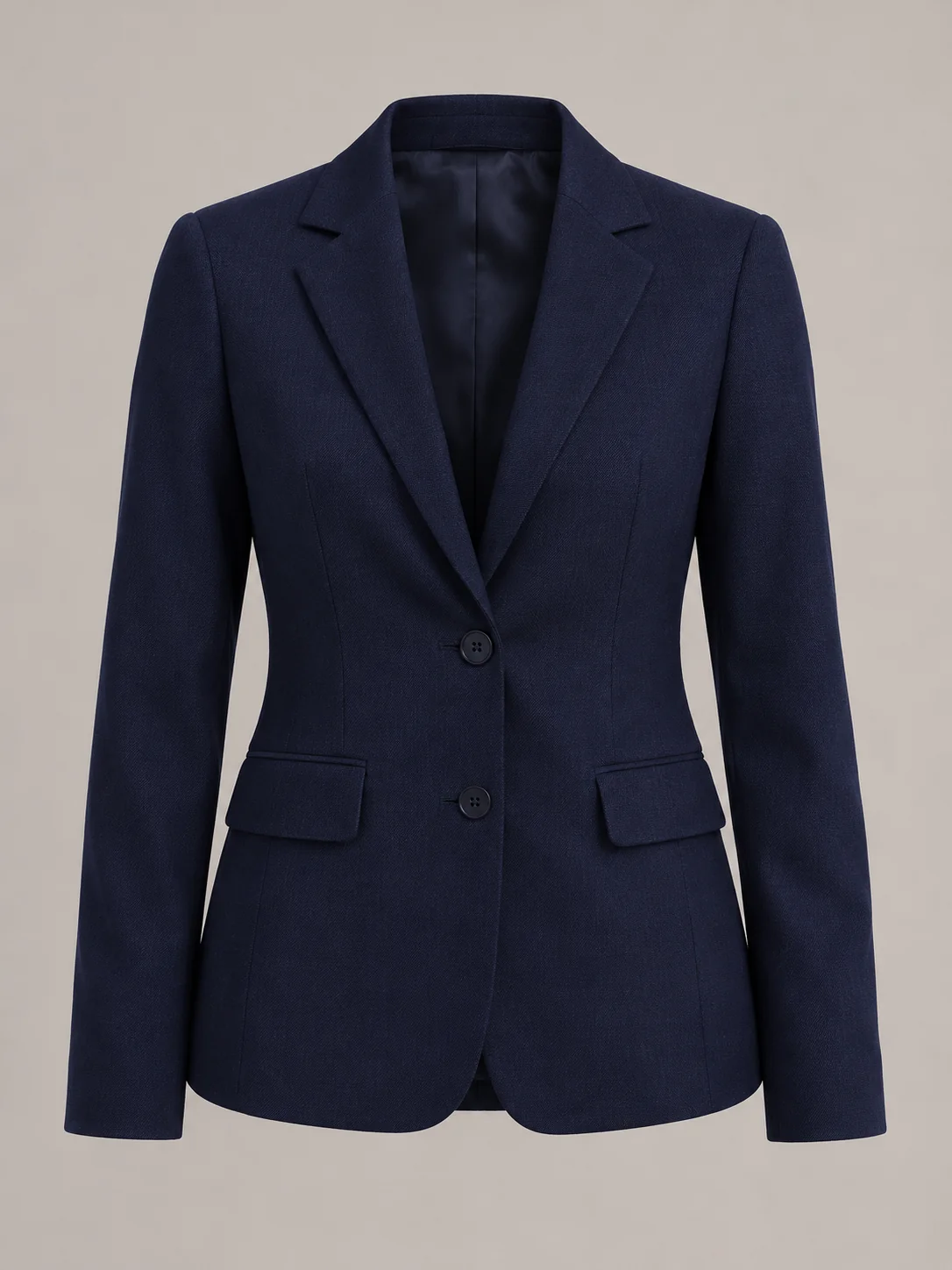
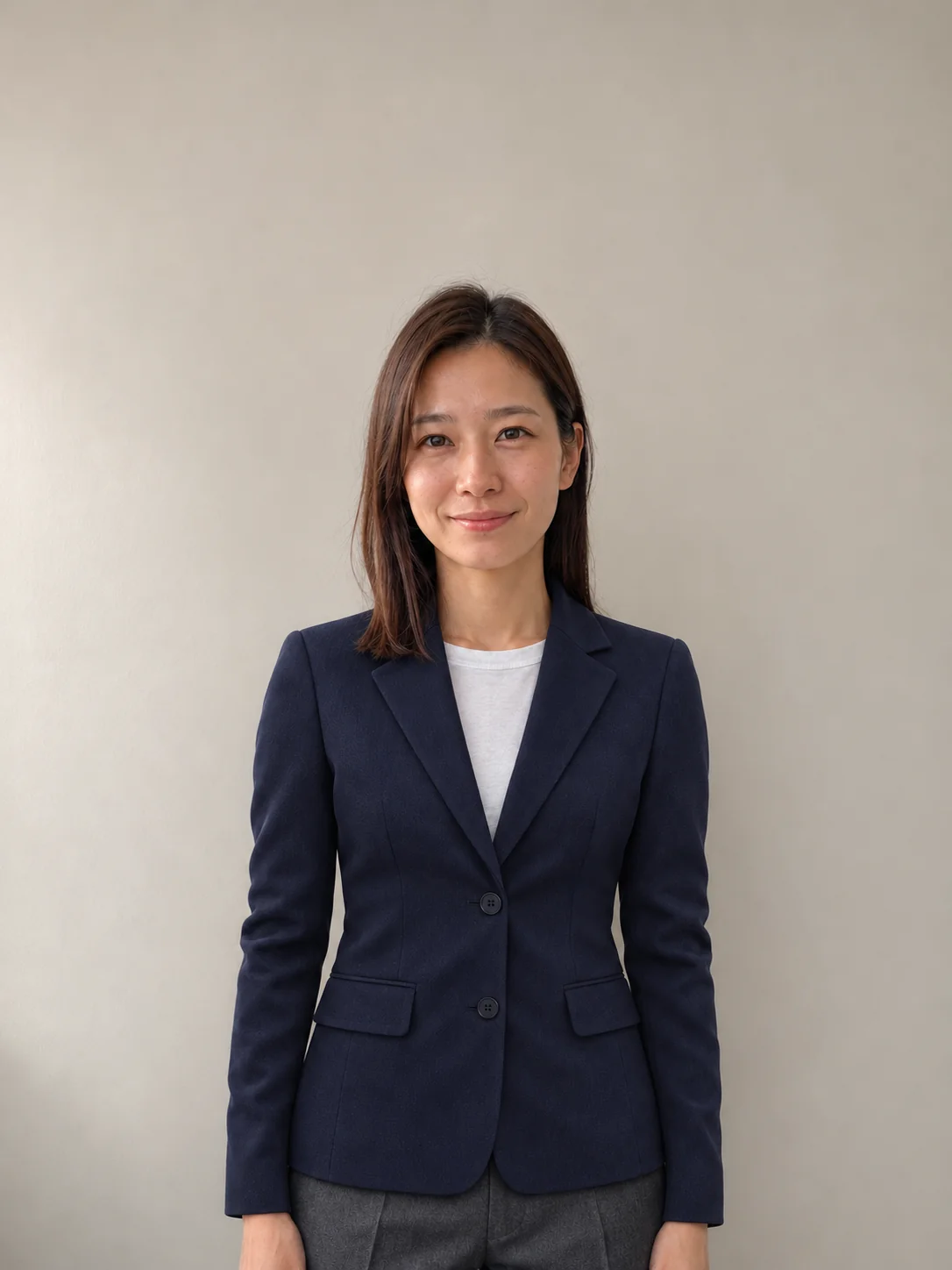
The first reference shows the person; the second supplies the blazer. The instruction asks to place that deep navy tailored blazer over the existing white T-shirt, keeping the person’s face, expression, hairstyle, body proportions, arm pose, trousers, background, daylight, and framing. It names construction details such as notched lapels, two dark buttons, flap pockets, matte fabric, and a fitted hip-length shape.
This division of roles matters: the garment image guides the clothing, while the person image anchors the portrait. Check the sleeves, lapels, button placement, and folds alongside the face and hands. A plausible outfit edit can still misrepresent the garment. Use the result for visual planning, and verify product details before using an image in a listing. It does not establish garment size or real fit.
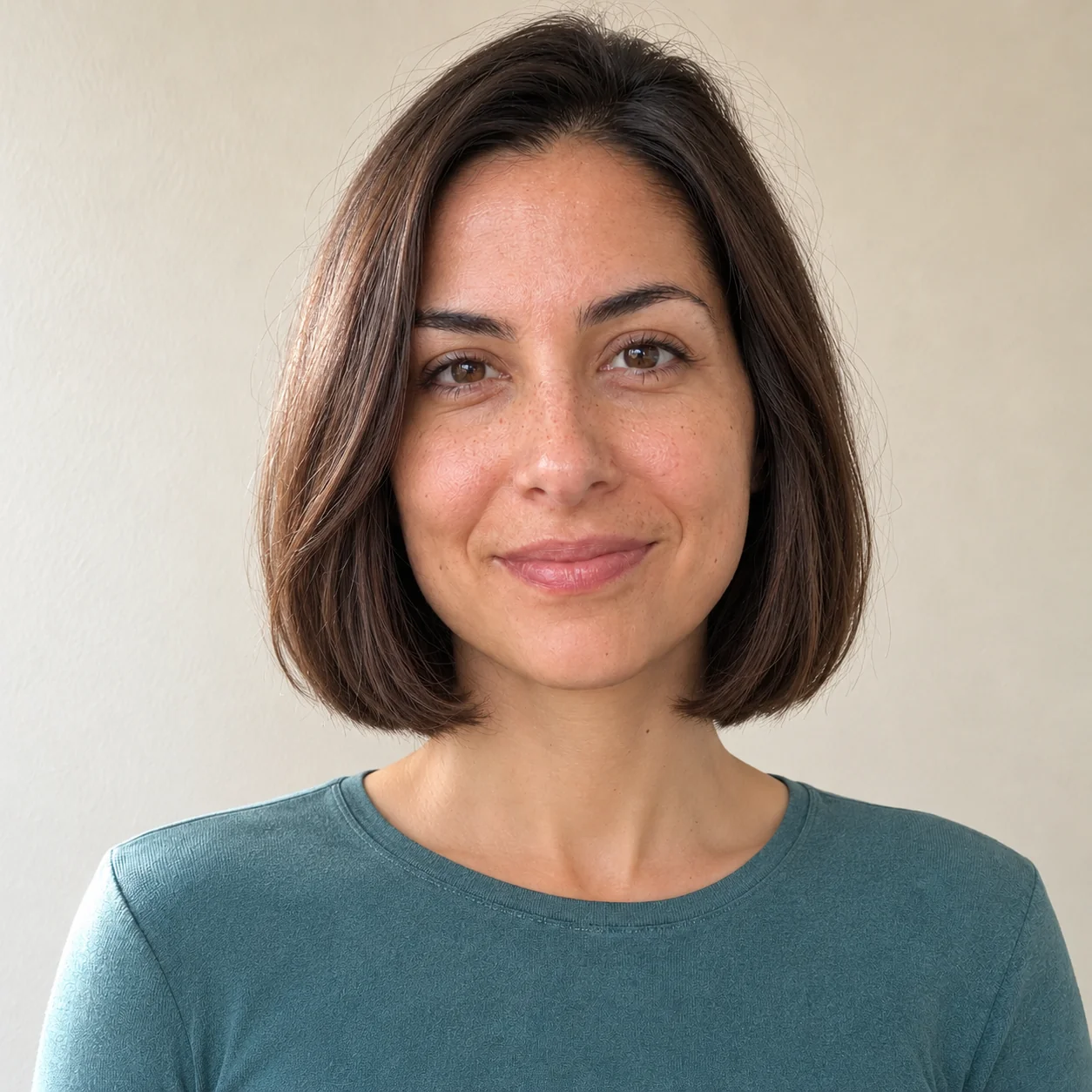
Case 2: long hair to a chin-length bob
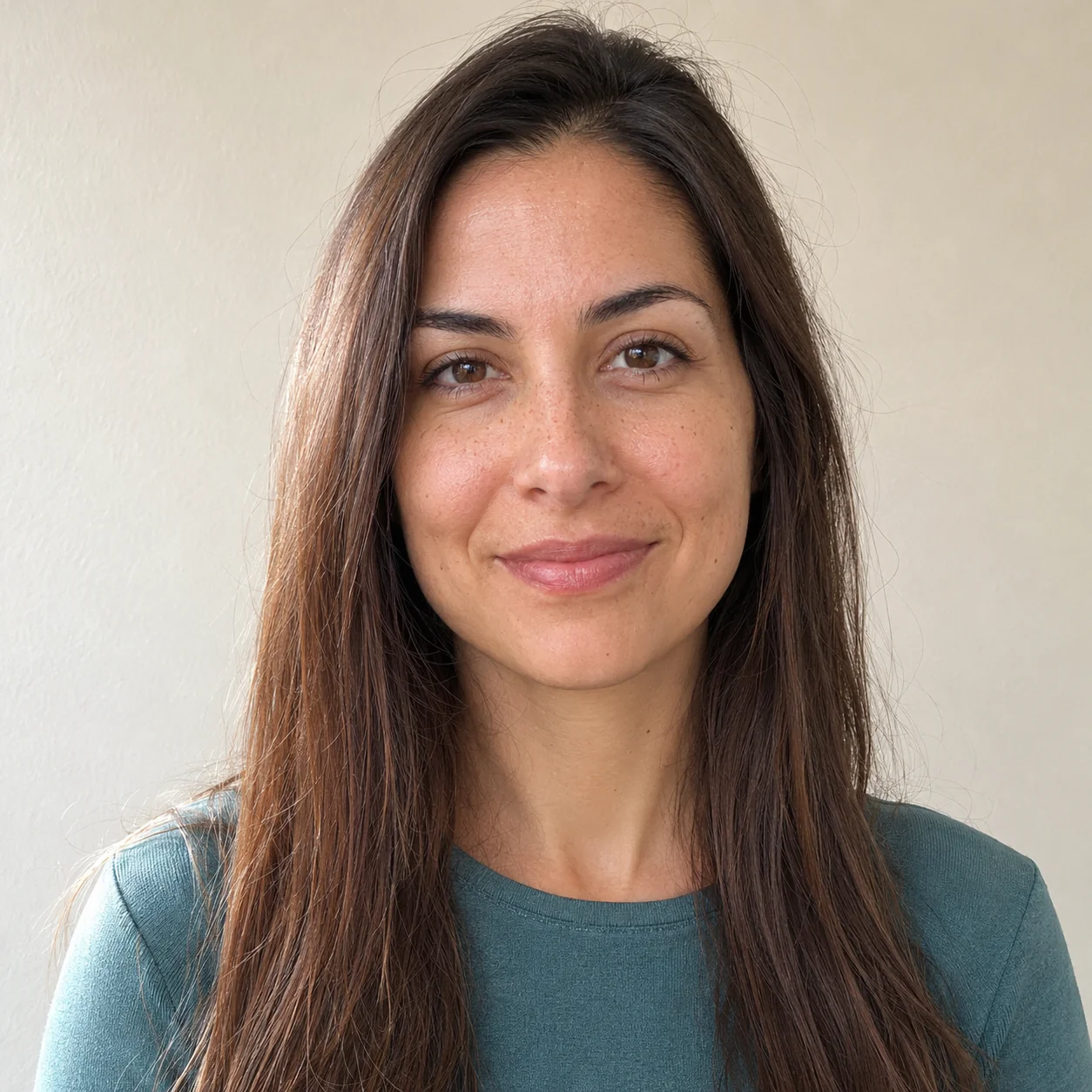
This case uses one portrait. Its original instruction requests a neat chin-length bob with slightly inward-curving ends, the same slightly off-center part, no bangs, and the same dark chestnut-brown color. It asks to retain facial proportions, freckles, expression, eye direction, skin texture, clothing, background, daylight, and square framing. The hairstyle page’s starting prompt asks for a wavy bob, so the displayed example should not be read as the result of that different preset.
Compare the face first, then examine the hairline, ears, neck, and edges against the background. The useful question is whether the image communicates the haircut idea without distracting changes elsewhere. A preview cannot predict how your natural hair texture, density, or growth pattern will respond to a real cut. Bring the image to a stylist as a discussion reference.
Case 3: two separate portraits in one park scene
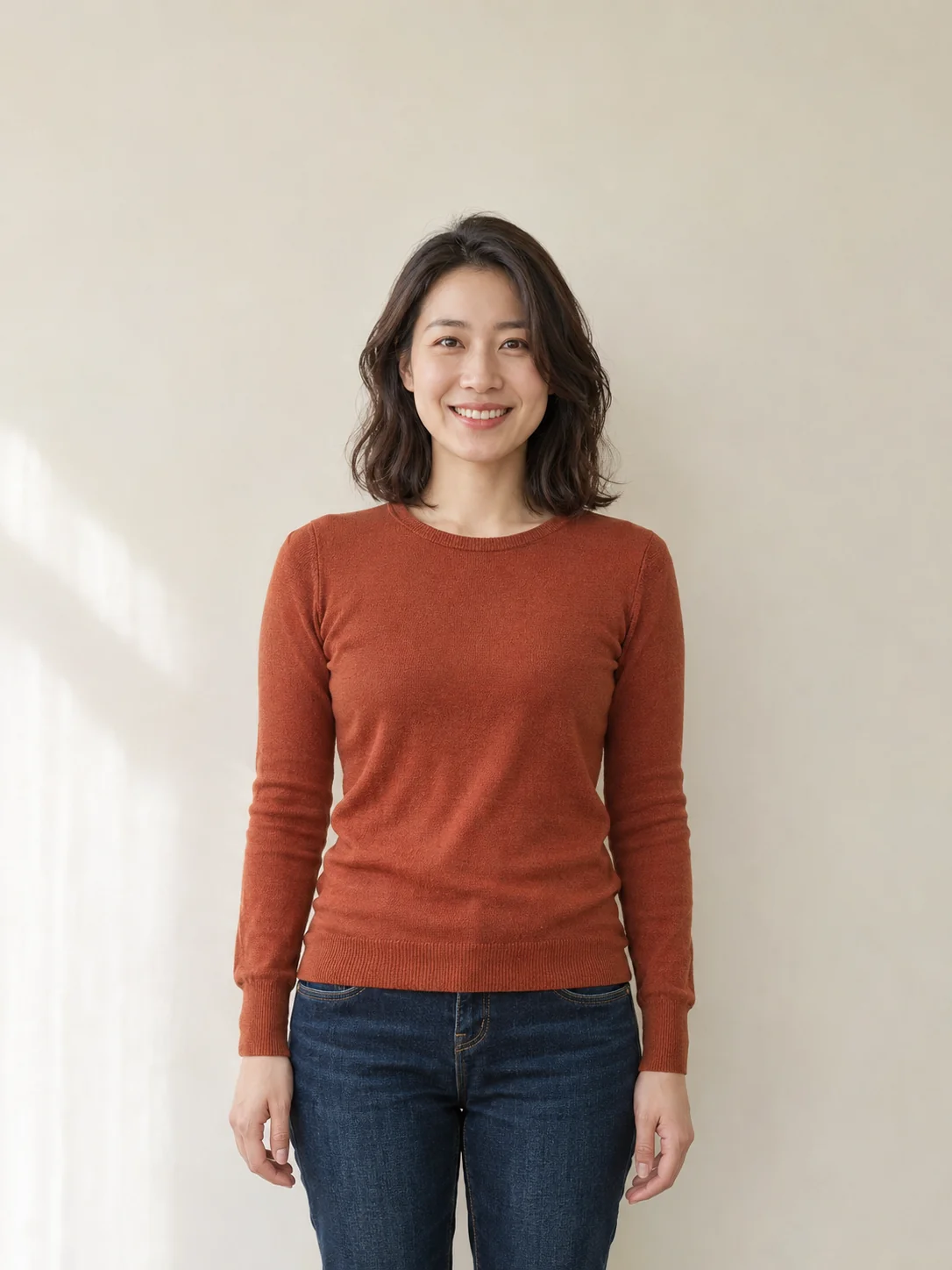
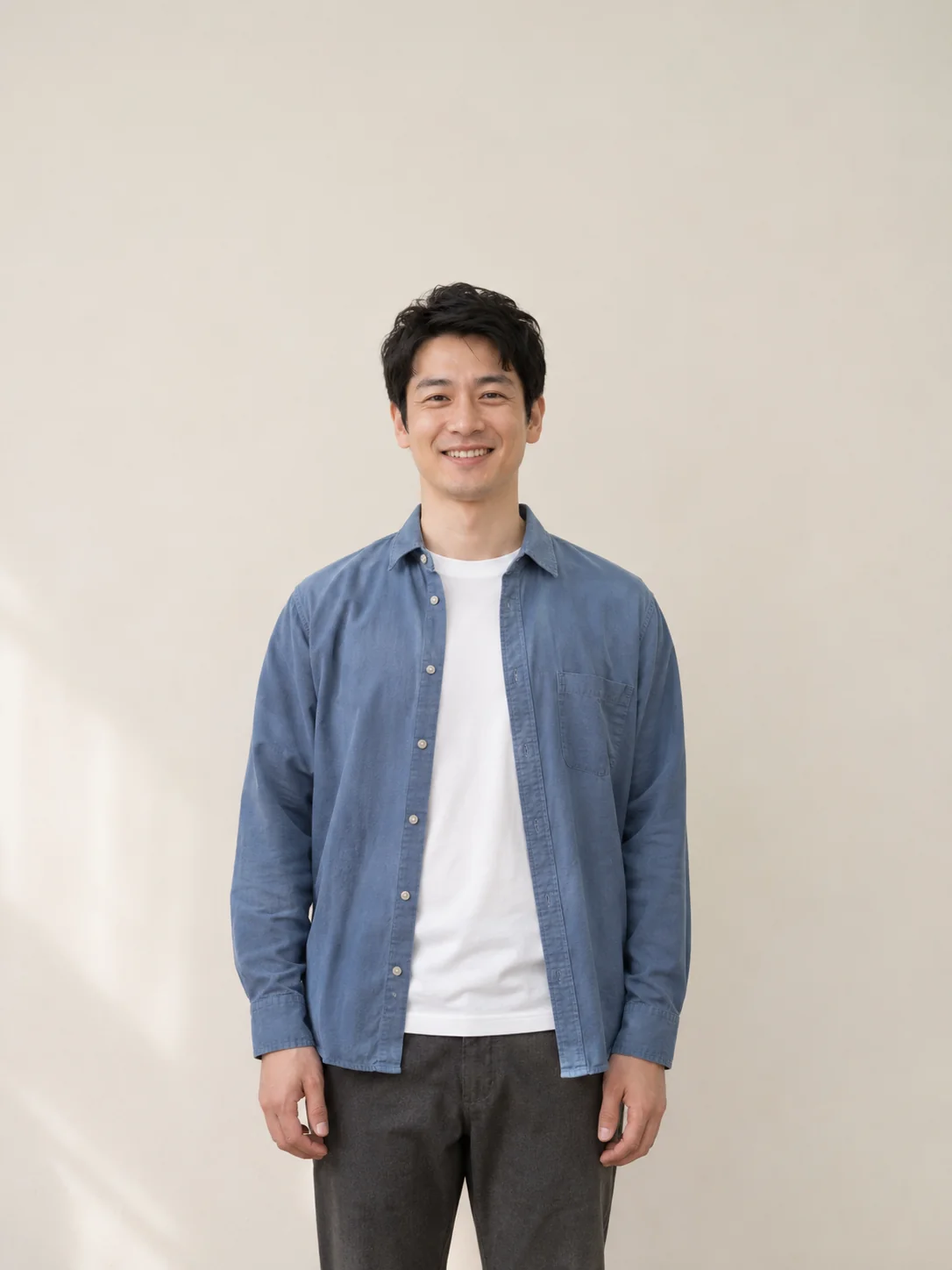
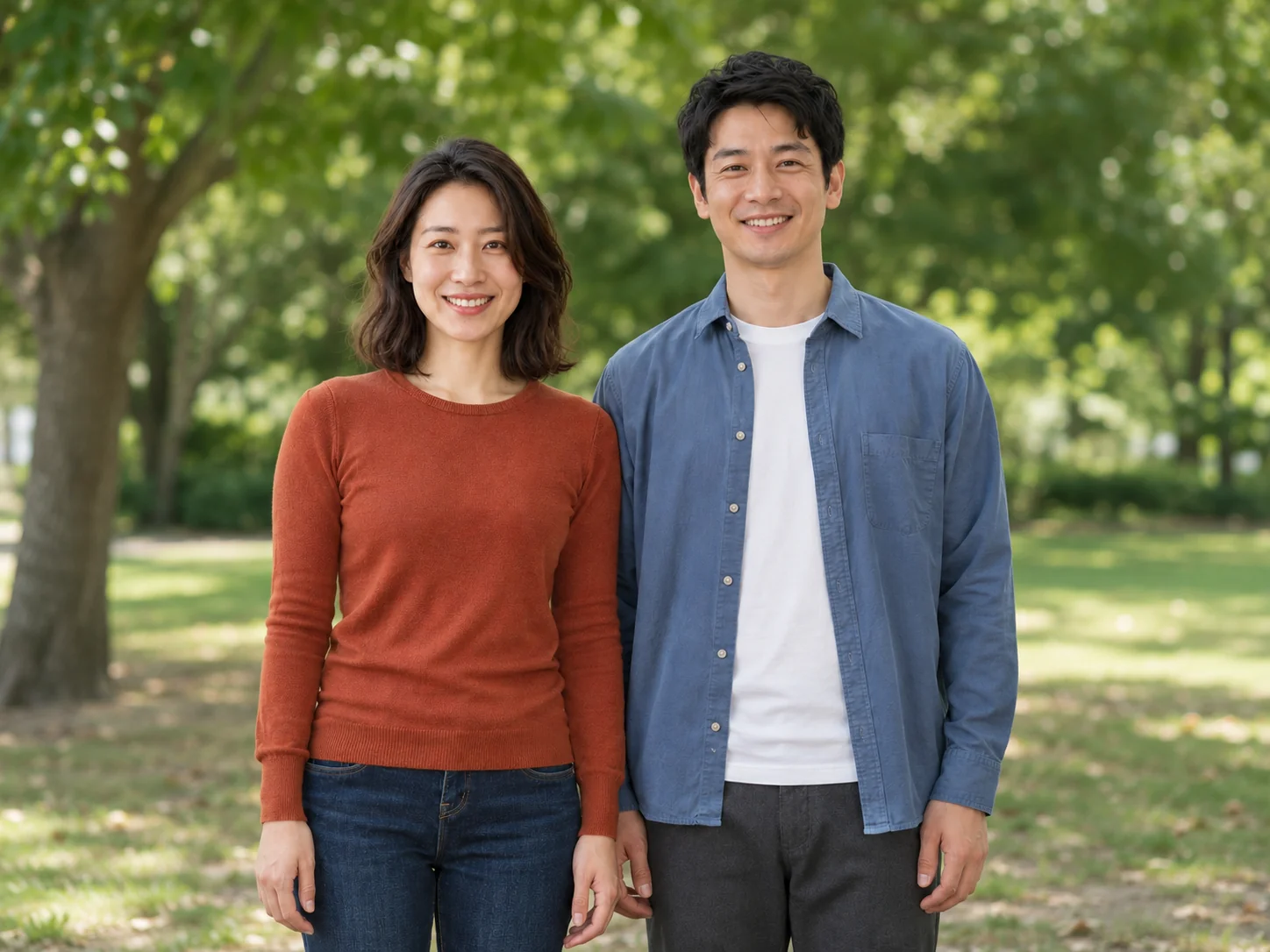
Two ordered inputs define two adults. The instruction places the woman on the left in her terracotta top and the man on the right in his blue overshirt and white T-shirt. It requests a waist-up park portrait, compatible scale and perspective, soft daylight, both heads in frame, and exactly two people. This is AI scene blending; it does not place two unchanged photos side by side.
Check both faces independently, followed by clothing, shoulders, arms, shadows, and the surrounding scene. The same-lighting request gives direction but does not ensure exact identity or anatomy. Obtain permission to use each person’s likeness. A generated shared portrait is a creative composition, not evidence that the people stood together at that location.
Four image-combiner generation records
DeftImage generated these four examples on 2026-11-17 using references approved for publication. Each case used one creation request and returned one image, without extra reruns to select a preferred result. These are our own case records, not an independent review, a success-rate study or a test of the complete website delivery flow.
The selected tier was Studio, with submitted model identifier google/nano-banana-2.1, routed through Yir to APIMart ext. A provider identifier does not verify internal model weights. 1K was the requested tier; actual pixels are listed separately. No seed was set or returned, and model-internal timing was not supplied. Display copies are WebP; the original returned files were JPEG.
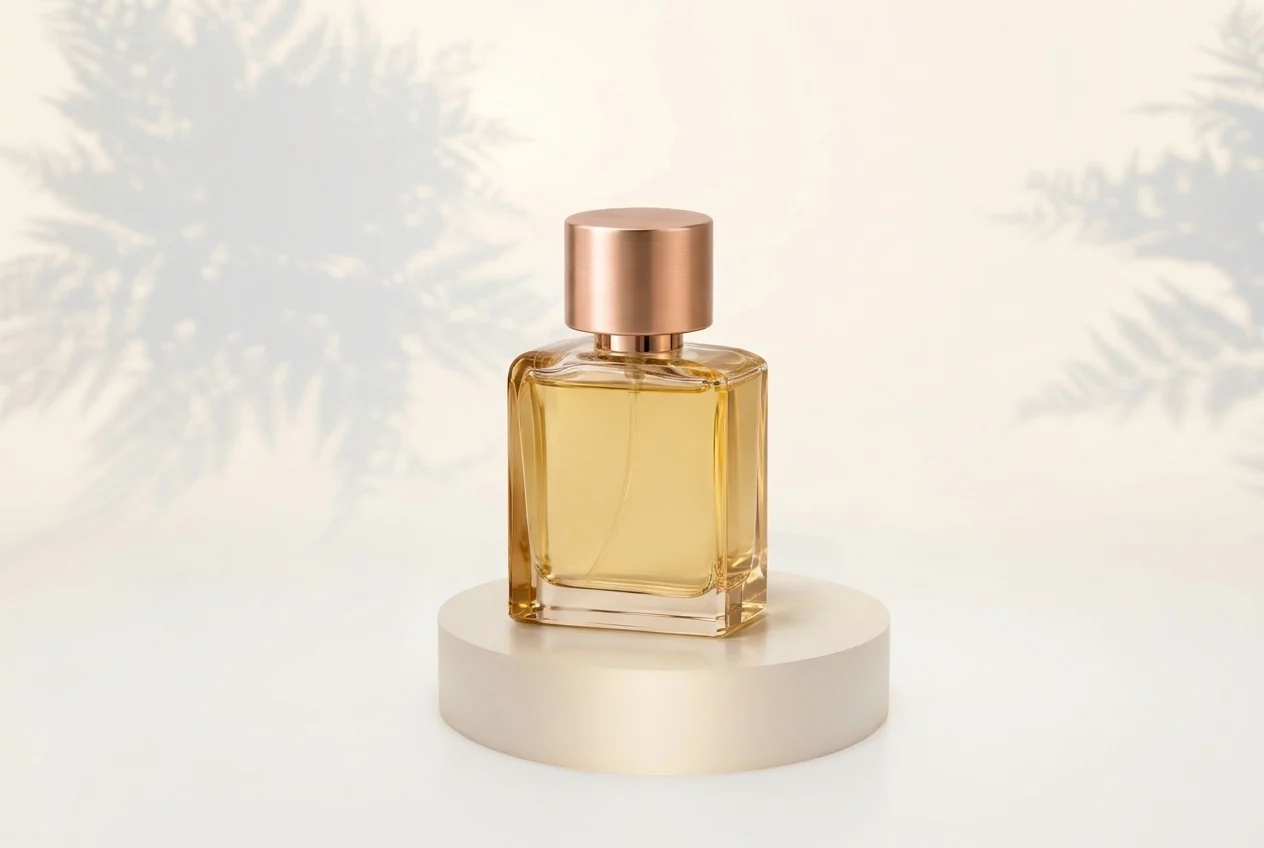
Product in a scene: perfume on a podium
Exact submitted prompt:
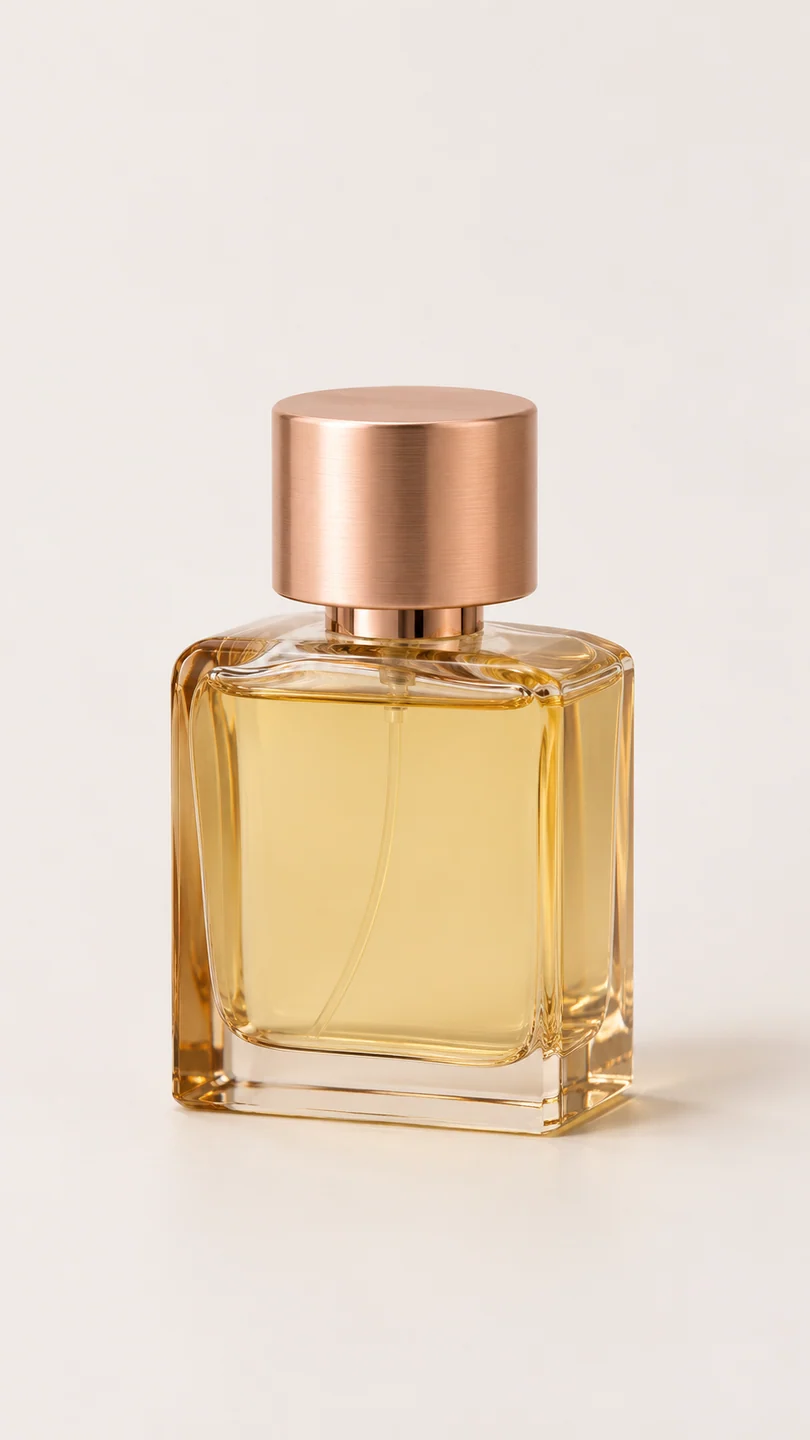
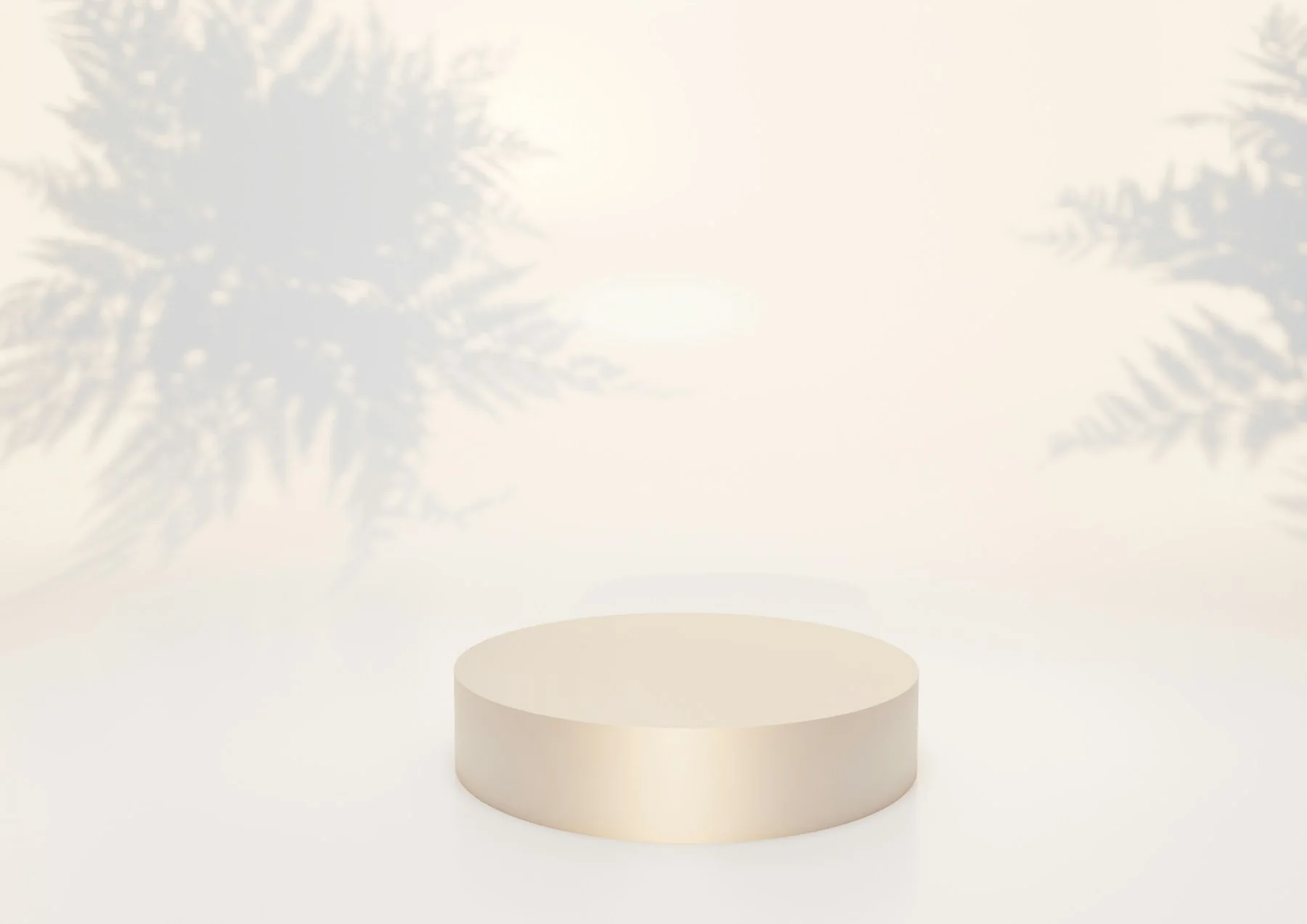
Place the single perfume bottle from Image 1 on the center of the beige circular podium in Image 2. Preserve its rectangular clear-glass body, amber liquid, thick glass base, rounded shoulders and brushed copper cylindrical cap. Keep the whole bottle visible and make it the main subject, with its width about half the podium width. Use the podium, warm cream background and soft fern shadows from Image 2. Match the gentle light and add a subtle contact shadow under the bottle, with believable glass reflections. Keep comfortable space above the cap. Create one refined product photograph with exactly one bottle, no added lettering, logos, flowers or panels.
Glass reflections and the internal tube were redrawn; product details are not pixel-identical.
| Record | Value |
|---|---|
| Generated (UTC) | 2026-11-17 |
| Requested tier / ratio | 1K / 3:2 |
| Actual output pixels | 1264 × 848 |
| Creation requests / returned images | 1 / 1 |
New background: a corgi in a daisy meadow
Exact submitted prompt:
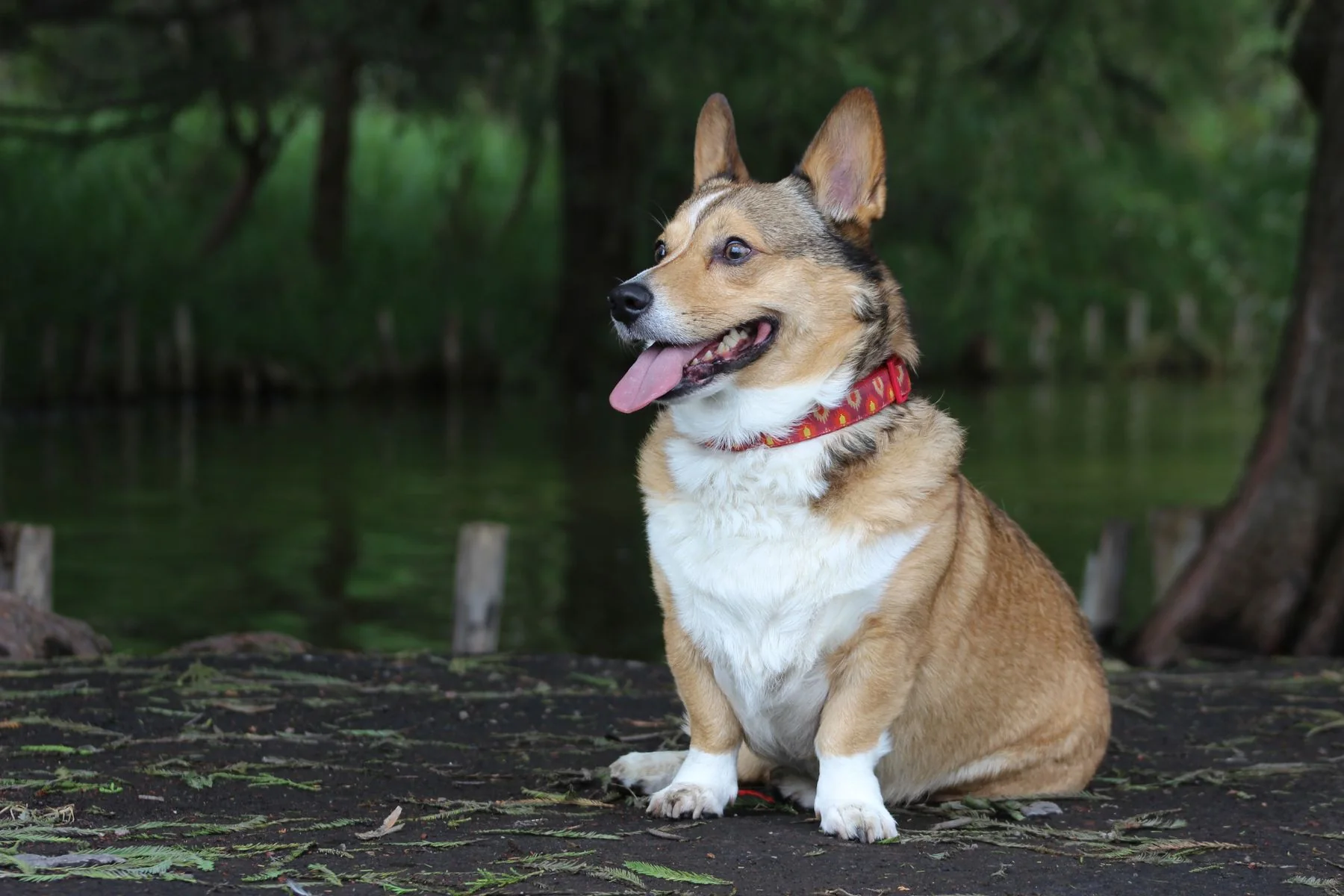
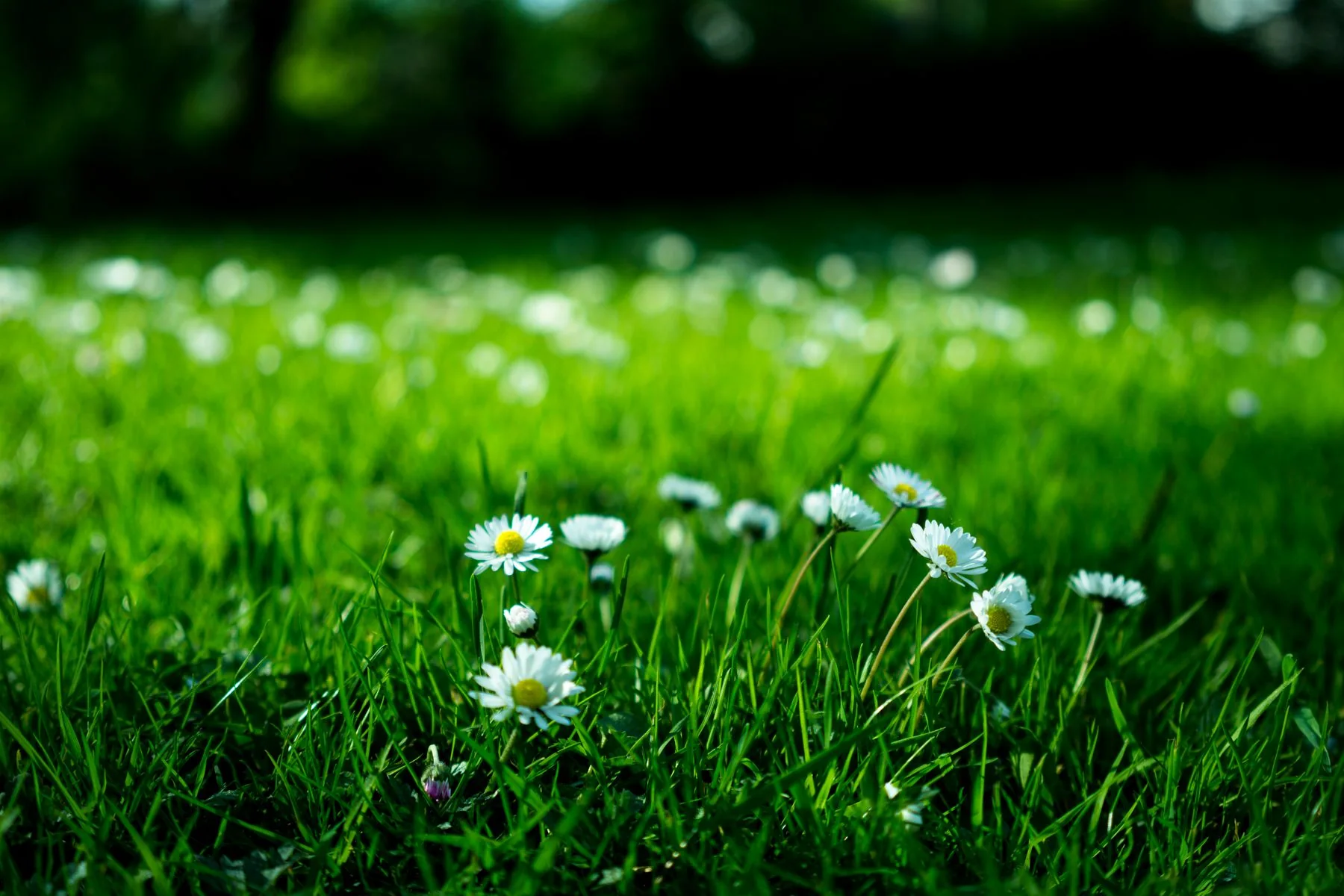
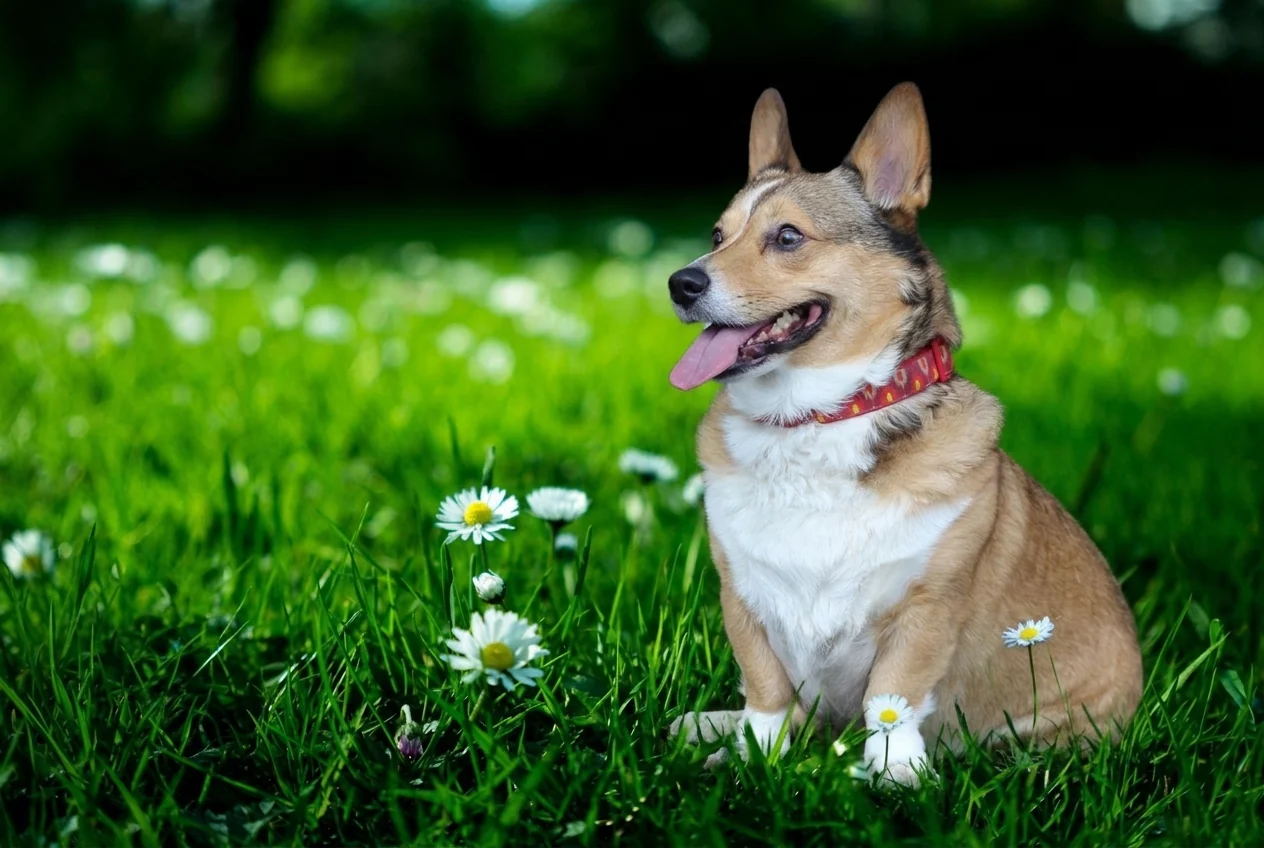
Place the corgi from Image 1 into the daisy meadow in Image 2. Preserve its seated pose, face turned to the left, upright ears, tan-and-white coat, white chest and paws, and red patterned collar. Position the dog slightly right of center on a natural patch of grass, leaving room in the direction it is looking. Use the low viewpoint, green grass, small white daisies and dark softly blurred trees from Image 2. Keep the dog's whole body and both front paws visible; daisies should remain small relative to the dog and not hide its face or paws. Match the daylight and add natural ground contact. Remove the original lakeside ground and water. Show exactly one dog in one realistic photograph, with no added text or panels.
Foreground daisies partly cover the paws despite the prompt asking to keep them visible.
| Record | Value |
|---|---|
| Generated (UTC) | 2026-11-17 |
| Requested tier / ratio | 1K / 3:2 |
| Actual output pixels | 1264 × 848 |
| Creation requests / returned images | 1 / 1 |
Style transfer: a street painted in watercolor
Exact submitted prompt:
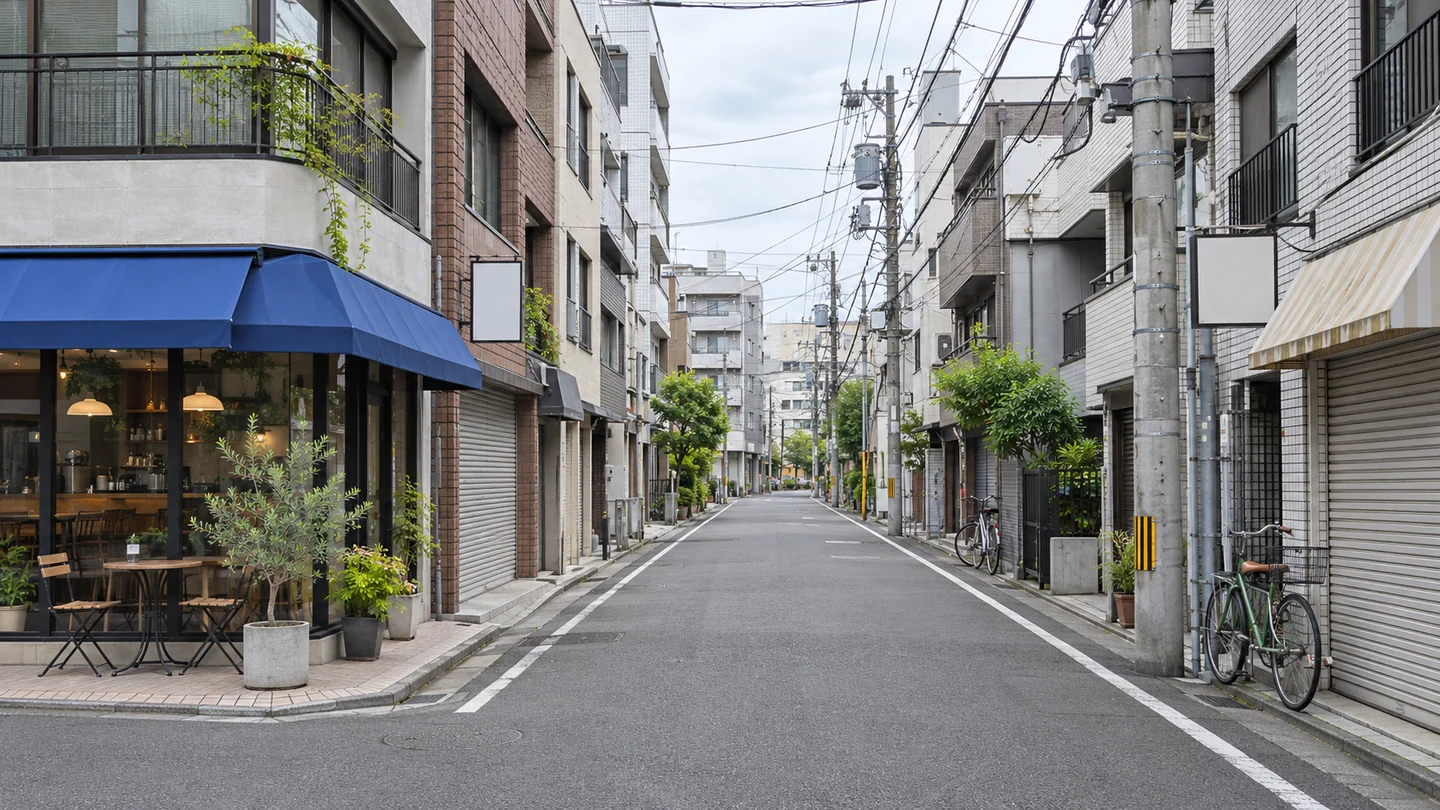
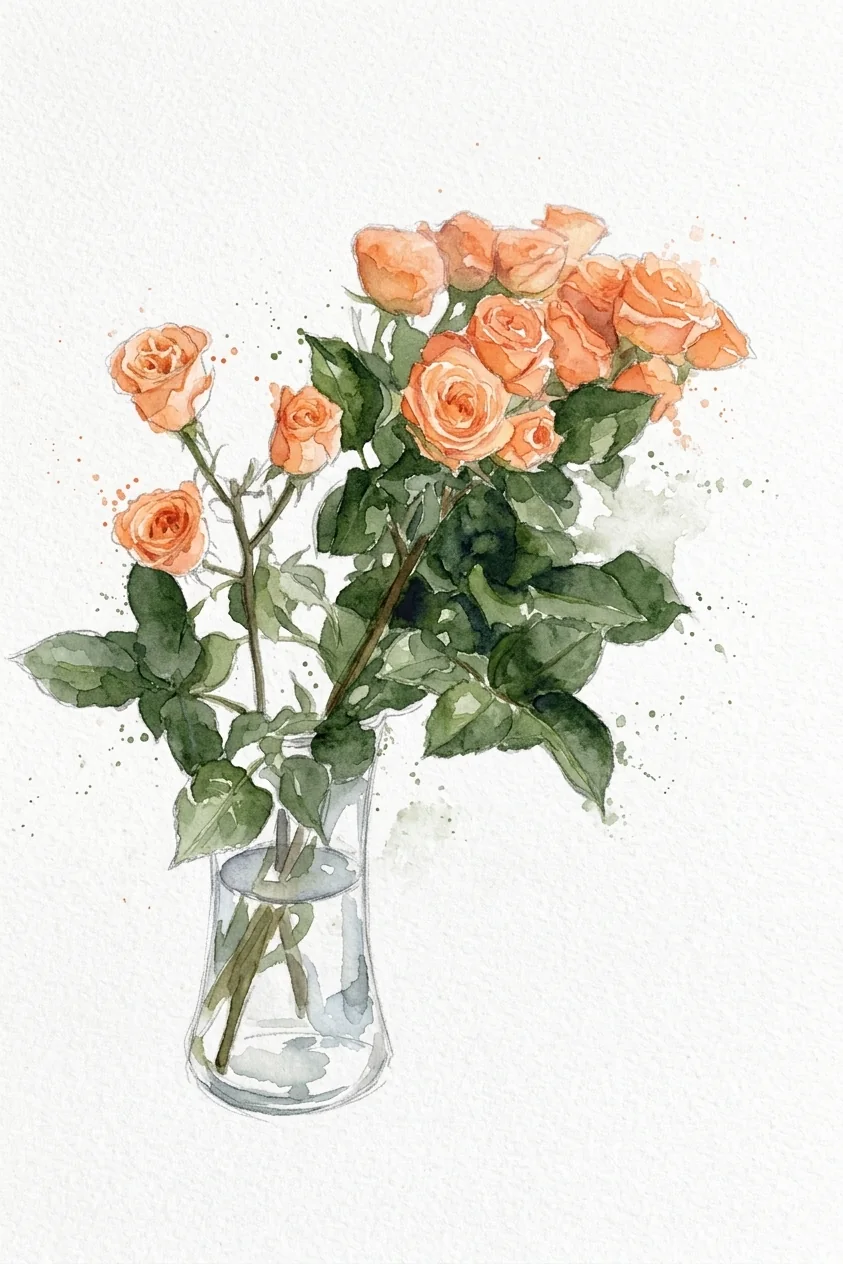
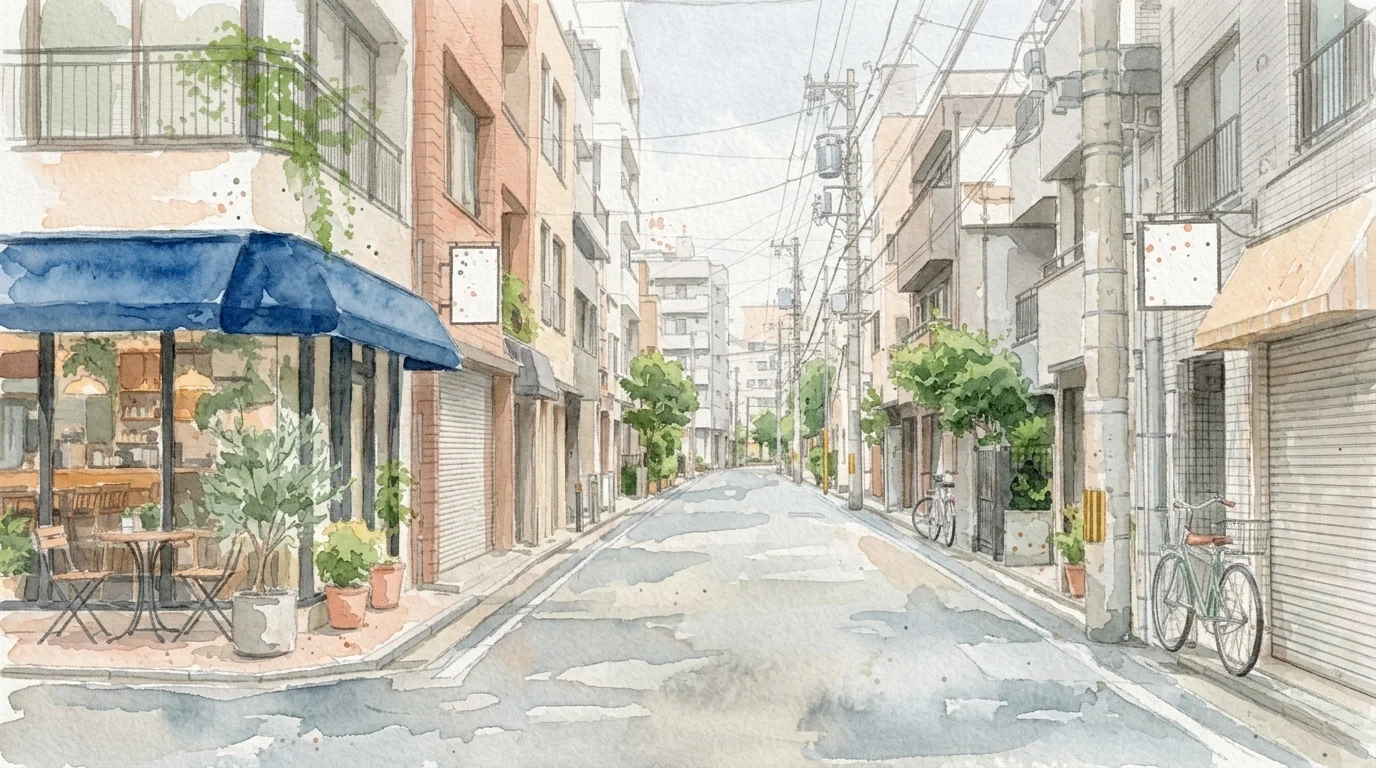
Repaint the street scene in Image 1 as a watercolor illustration using the visual treatment of Image 2. Preserve the street's central vanishing point, the café with the blue awning on the left, the buildings, pavement and bicycles on the right. Keep the same wide viewpoint and arrangement. Borrow the visible paper grain, translucent washes, layered pigments, softened edges and occasional small paint splashes from Image 2. Use warm peach, muted green and soft gray tones while keeping the café awning recognizably blue. Simplify fine wires and building details into delicate painted marks. Do not copy the bouquet, vase or floral composition from Image 2 into the street. Make one complete illustration, not a collage, with no added lettering or signatures.
The result has denser fine lines and building detail than the softer style reference.
| Record | Value |
|---|---|
| Generated (UTC) | 2026-11-17 |
| Requested tier / ratio | 1K / 16:9 |
| Actual output pixels | 1376 × 768 |
| Creation requests / returned images | 1 / 1 |
Creative blend: a forest stream meets a desert arch
Exact submitted prompt:
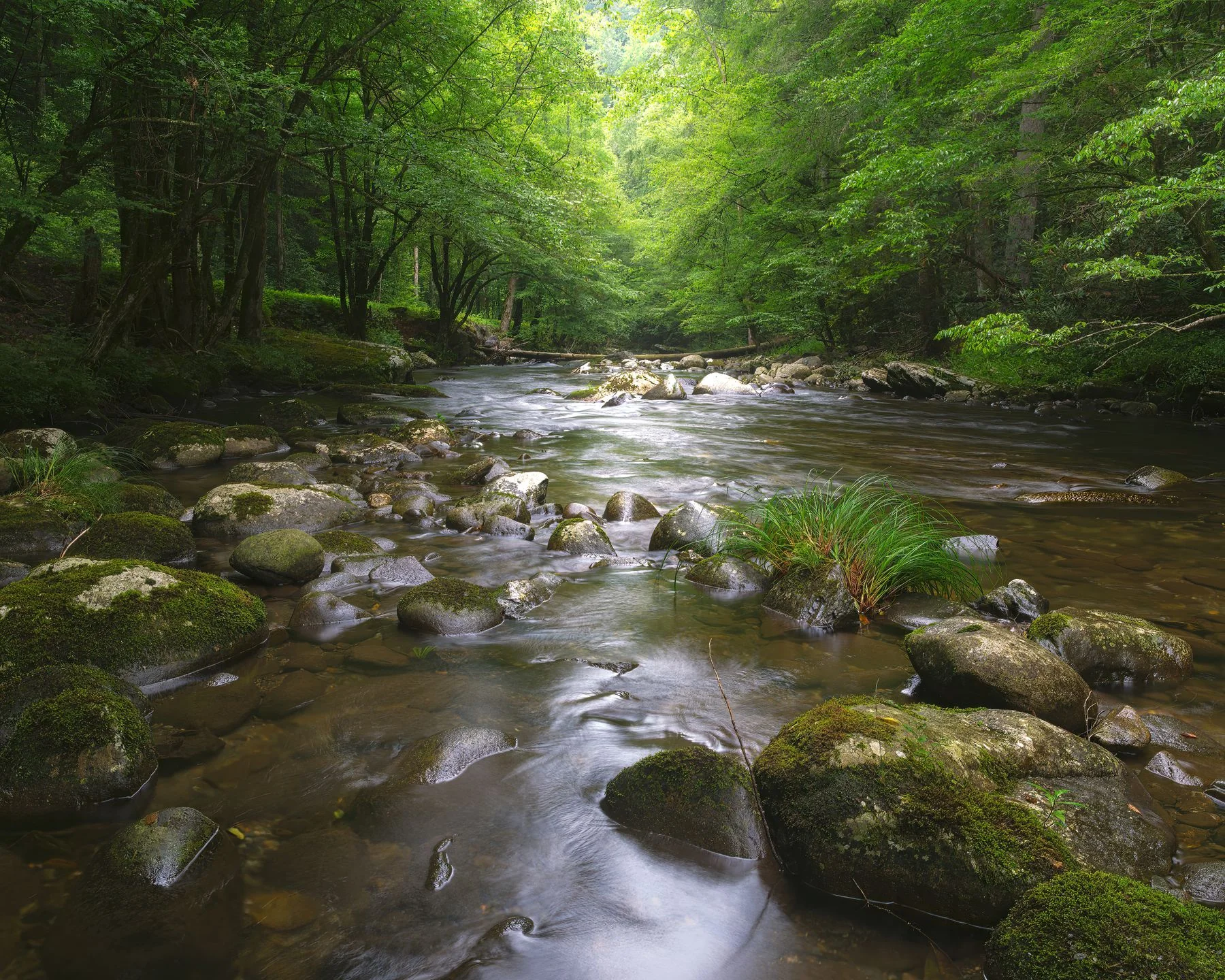
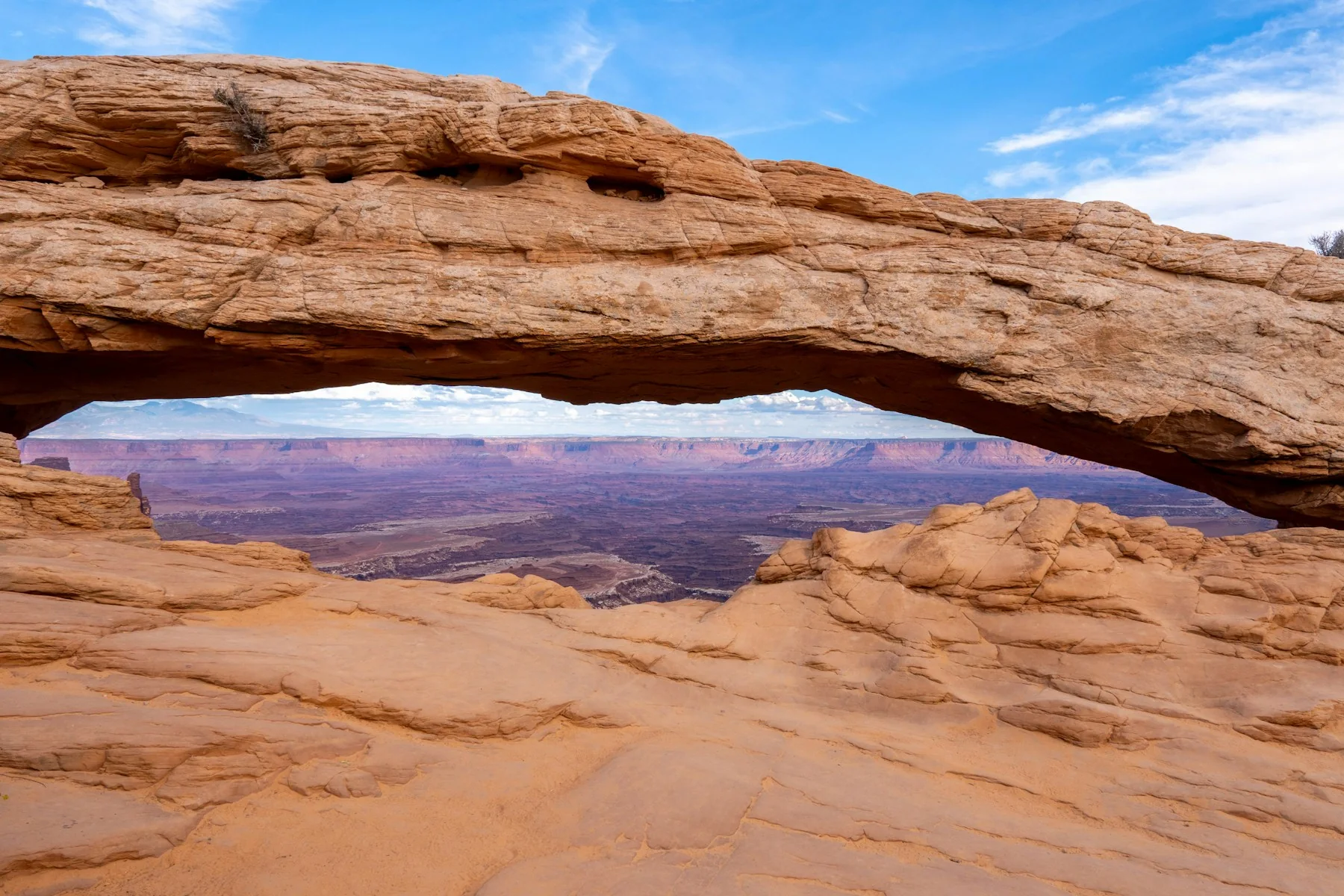
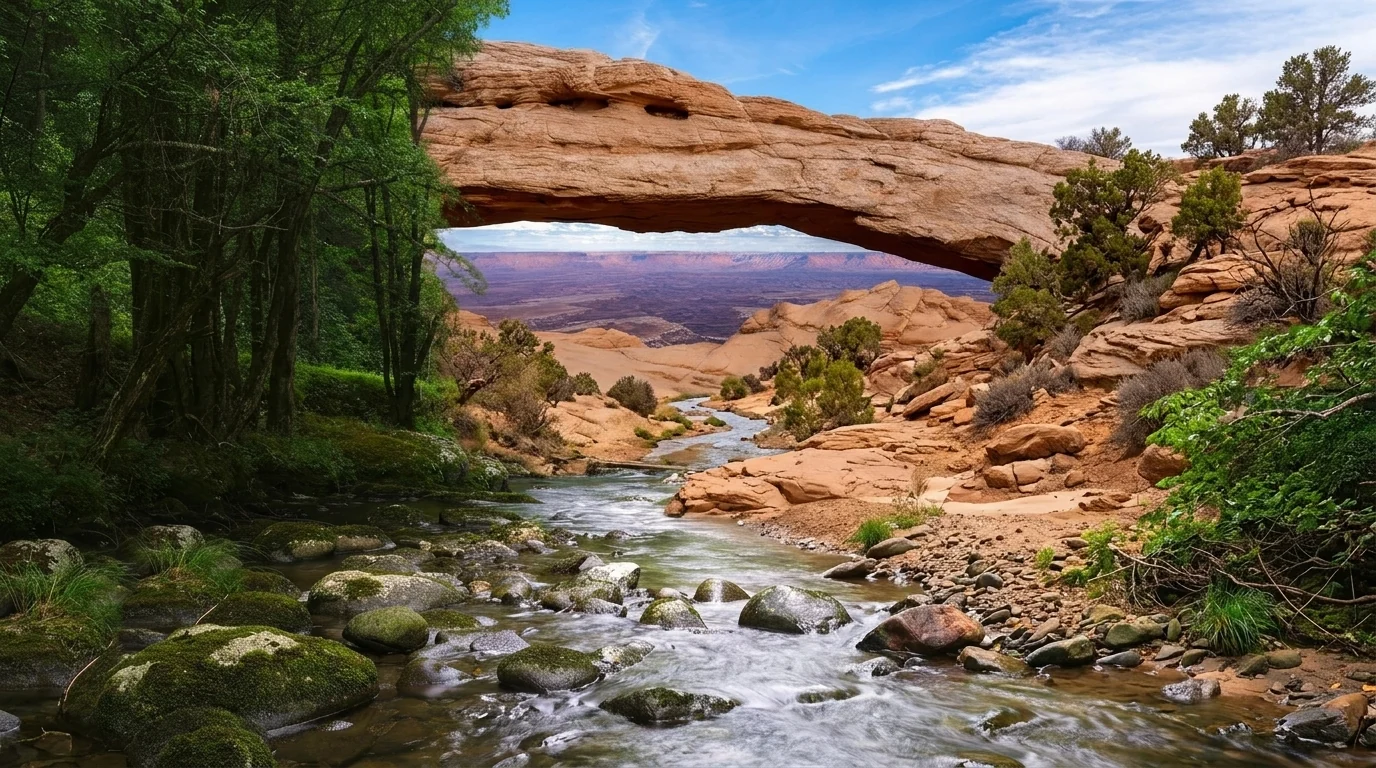
Create one continuous imagined landscape from both images. Keep the moss-covered rocks, shallow flowing stream and wooded banks from Image 1 in the foreground. Let the stream lead toward the center, gradually narrowing into a sandy riverbed as moss and trees give way to warm sandstone. Place the recognizable broad, low sandstone arch from Image 2 in the middle distance, with its layered desert canyon visible through the opening. Preserve the arch's long horizontal shape while adjusting its scale to connect naturally with the stream. Use a coherent low viewpoint and soft warm daylight across the entire scene. Blend the environments through a gradual transition in the middle ground, not a sharp dividing line or a pasted background. No people, buildings, extra arches, text or split-screen panels.
The arch is larger and closer than requested. This is an imagined landscape, not a real location.
| Record | Value |
|---|---|
| Generated (UTC) | 2026-11-17 |
| Requested tier / ratio | 1K / 16:9 |
| Actual output pixels | 1376 × 768 |
| Creation requests / returned images | 1 / 1 |
Edit your photos.
Upload your photo